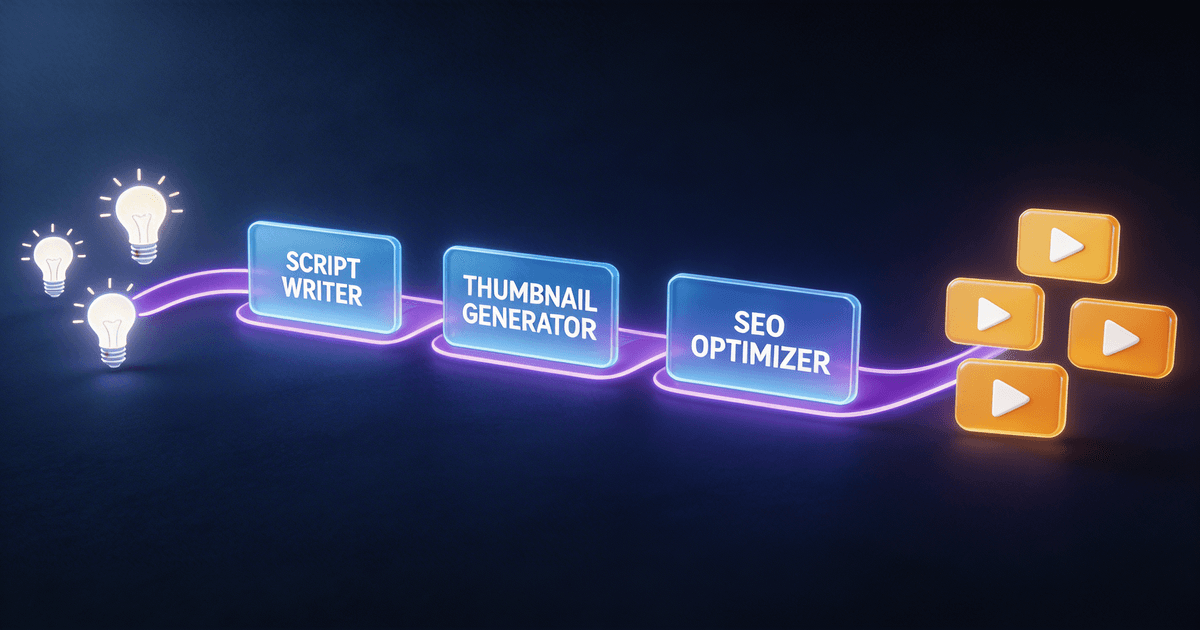
9 Best AI Skills for Creators in 2026 (+ Where to Start)
A buyer-focused ranking of the 9 best AI skills for content creators in 2026. Covers scripting, thumbnails, repurposing, analytics, and monetization — with exact prices, time savings, and the best first purchase for each creator type.
You do not need 20 AI tools. You need the right 3 to 5.
Most creators who try AI hit the same wall: they download a dozen prompts, feel overwhelmed, and go back to doing everything manually. The problem is not the tools. It is the order in which you install them.
Below are the nine AI skills that actually move the needle for creators in 2026. They are ranked by impact, priced honestly, and organized by the problem they solve — not the category they belong to. If you only buy one or two this month, buy the ones at the top of your biggest bottleneck.
Not ready to buy yet? Start with a free skill first. The Content Idea Brainstormer, YouTube Chapter Generator, Podcast Show Notes Creator, and Content Repurposing Planner are all completely free — no credit card, no trial. Install one in 2 minutes and you will understand immediately why structured AI skills are different from copy-paste prompts. → See all free skills
1. Long-Form Script System — the best first skill for video creators
Price: $7
Time saved: 2 to 4 hours per video
Best for: YouTubers, course creators, and anyone who writes scripts longer than 5 minutes
If you make video content, scripting is probably your biggest time sink. The [Long-Form Script System](/skills/long-form-script-system?utm_source=blog&utm_medium=organic&utm_campaign=blog_cta_retail_2026&utm_content=best-ai-skills_long-form-script-system is not a generic prompt that spits out an outline. It is a full production system that outputs:
- Scroll-stopping hooks calibrated to your niche
- Retention loops and open loops at the exact moments viewers usually drop off
- B-roll callouts in brackets so your editor knows what to grab
- Pacing markers so you never run long
- A CTA that feels like part of the story, not an afterthought
The difference between this and a basic prompt is context. The skill asks you for your target viewer, tone, desired length, and key points before it writes a word. That 90-second input step is why the output actually sounds like you.
Real creator result: One 50k subscriber YouTuber cut scripting from 3 hours to 45 minutes per video and increased average view duration by 22% after shifting from generic prompts to a structured script system. (See the full breakdown in our AI skills case study.)
2. Video-to-Everything Repurposer — the highest-ROI skill most creators skip
Price: $7
Time saved: 2 to 3 hours per week
Best for: Creators who publish on one platform and stay silent everywhere else
You already made the video. It took 5 to 15 hours. Then you posted it to YouTube and moved on. That is like filming a TV commercial and only airing it on one channel.
The [Video-to-Everything Repurposer](/skills/video-to-everything-repurposer?utm_source=blog&utm_medium=organic&utm_campaign=blog_cta_retail_2026&utm_content=best-ai-skills_video-to-everything-repur takes your transcript and turns it into 15+ platform-native pieces: Twitter threads, LinkedIn posts, Instagram captions, newsletter snippets, and YouTube Shorts scripts. The tone adapts to each platform automatically — professional for LinkedIn, conversational for Twitter, visual-first for Instagram.
This skill pays for itself in one use. If you make one long-form video per week and never repurpose it, you are leaving 70 to 80% of that content's value on the table.
Pro tip: Pair it with the free [Content Repurposing Planner](/skills/content-repurposing-planner?utm_source=blog&utm_medium=organic&utm_campaign=blog_cta_retail_2026&utm_content=best-ai-skills_content-repurposing-plann to map your distribution strategy before you write a single post.
3. AI Thumbnail Factory — the skill that pays for itself in clicks
Price: $7
Time saved: 60 to 90 minutes per video
Best for: YouTubers, course creators, and anyone whose CTR is below 5%
Thumbnails are not an art project. They are an ad for your video. If nobody clicks, it does not matter how good the content is.
The [AI Thumbnail Factory](/skills/ai-thumbnail-factory?utm_source=blog&utm_medium=organic&utm_campaign=blog_cta_retail_2026&utm_content=best-ai-skills_ai-thumbnail-factory generates 3 complete thumbnail concepts in 2 minutes. Each concept includes:
- Layout composition (where the face, text, and product go)
- Exact text overlay wording
- Color palette recommendations
- AI image generation prompts if you want to skip Canva
This skill is built around CTR archetypes — proven patterns like contrast, curiosity gaps, and before/after splits — not just "make it look nice."
Real creator result: A productivity YouTuber improved click-through rate from 4.2% to 6.8% after switching from self-designed thumbnails to structured concepts generated by a thumbnail skill system.
4. Brand Voice Codex — install this before any writing skill
Price: $7
Time saved: 30 to 60 minutes per piece of content
Best for: Newsletter writers, bloggers, and any creator whose AI output sounds robotic
Every AI tool has a default voice: polite, polished, and completely forgettable. That is fine if you are writing a cover letter. It is a disaster if you are building an audience that reads your work for your perspective.
The [Brand Voice Codex](/skills/brand-voice-codex?utm_source=blog&utm_medium=organic&utm_campaign=blog_cta_retail_2026&utm_content=best-ai-skills_brand-voice-codex extracts your actual voice patterns from your existing content — your sentence rhythm, your vocabulary, the way you open a paragraph versus close one — and builds a profile you can paste into any AI tool. The result sounds like you wrote it, not like ChatGPT wrote it and you cleaned it up.
Install this first. Every writing skill you buy after this one produces better output because the AI knows what "your voice" means.
5. Analytics Translator — the most underrated skill on the list
Price: $7
Time saved: 45 to 60 minutes per week
Best for: Creators with 10+ pieces of published content who want to stop guessing
Most creators open YouTube Studio, feel vaguely stressed, and close the tab. The numbers are there, but the story is not.
The [Analytics Translator](/skills/analytics-translator?utm_source=blog&utm_medium=organic&utm_campaign=blog_cta_retail_2026&utm_content=best-ai-skills_analytics-translator takes your raw analytics data and returns plain-English decisions: what to make more of, what's hurting your CTR, and specifically what to film next week.
Real creator result: One podcaster discovered that episodes over 45 minutes had 40% higher completion rates. They shifted their format and saw a 28% increase in average listen-through. That insight came from an AI analysis that took 3 minutes.
6. Short-Form Video Producer — for creators drowning in Reels, Shorts, and TikTok
Price: $7
Time saved: 3 to 5 hours per week
Best for: Creators posting short-form daily or multiple times per week
Short-form content is a volume game. The creators who win are not the ones with the best single Reel — they are the ones who can produce 30 good ones a month without burning out.
The [Short-Form Video Producer](/skills/short-form-video-producer?utm_source=blog&utm_medium=organic&utm_campaign=blog_cta_retail_2026&utm_content=best-ai-skills_short-form-video-producer is built for batch production. You give it one topic, and it returns scripts for multiple platforms in one pass — TikTok, Reels, and Shorts — with platform-specific formatting, hooks, and CTA logic. It includes 12 short-form formats and 8 hook archetypes so you are not reinventing structure every time.
Who this is for: Creators who know their niche and need a system to stay consistent without spending their entire week writing 30-second scripts.
7. Viral Hook Generator — the fastest win on the list
Price: $7
Time saved: 30 to 45 minutes per video
Best for: YouTubers and podcasters whose average view duration drops in the first 30 seconds
The first 5 to 15 seconds of your video decide whether someone stays or scrolls. If your hook is weak, everything after it is wasted effort.
The [Viral Hook Generator](/skills/viral-hook-generator?utm_source=blog&utm_medium=organic&utm_campaign=blog_cta_retail_2026&utm_content=best-ai-skills_viral-hook-generator produces 5 distinct hook options in under 2 minutes. The hooks are built on proven archetypes — curiosity gaps, relatable struggles, data shocks — not generic templates.
One YouTuber reported that their AI-generated hook outperformed their previous video by 34%. The hook itself took 90 seconds to produce.
8. Newsletter Conversion Engine — for creators who own their audience
Price: $7
Time saved: 2 to 4 hours per email sequence
Best for: Newsletter writers, course creators, and anyone building an email list
Email is still the highest-ROI channel for most creators. But writing sequences that convert — welcome flows, launch campaigns, re-engagement automations — takes time most creators do not have.
The [Newsletter Conversion Engine](/skills/newsletter-conversion-engine?utm_source=blog&utm_medium=organic&utm_campaign=blog_cta_retail_2026&utm_content=best-ai-skills_newsletter-conversion-eng designs complete sequences with subject lines, preview text, body copy, and segmentation logic. It also suggests send timing and A/B test structures based on your goal (opens, clicks, or purchases).
Why this matters: Social platforms change their algorithms every month. Your email list is the only audience you actually own. A skill that turns subscribers into buyers is an insurance policy against algorithm shifts.
9. Monetization Strategy Planner — for creators ready to earn
Price: $7
Time saved: 3 to 5 hours of research and planning
Best for: Creators with an audience but no clear revenue roadmap
If you are still guessing which revenue streams to pursue — ads, brand deals, courses, affiliates, memberships — this skill replaces the guesswork with a phased plan.
The [Monetization Strategy Planner](/skills/monetization-strategy-planner?utm_source=blog&utm_medium=organic&utm_campaign=blog_cta_retail_2026&utm_content=best-ai-skills_monetization-strategy-pla analyzes your platform, audience size, niche, and goals, then returns a ranked list of revenue streams with specific action items. It tells you which ones to pursue now, which ones need 6 months of prep, and which ones are a distraction for your specific situation.
Who this is for: Creators who have spent months building an audience and are ready to stop doing it for free.
Quick comparison: what to buy first by creator type
| Creator type | First skill | Second skill | Third skill |
|---|---|---|---|
| YouTuber | [Long-Form Script System](/skills/long-form-script-system?utm_source=blog&utm_medium=organic&utm_campaign=blog_cta_retail_2026&utm_content=best-ai-skills_long-form-script-system | [AI Thumbnail Factory](/skills/ai-thumbnail-factory?utm_source=blog&utm_medium=organic&utm_campaign=blog_cta_retail_2026&utm_content=best-ai-skills_ai-thumbnail-factory | [Video-to-Everything Repurposer](/skills/video-to-everything-repurposer?utm_source=blog&utm_medium=organic&utm_campaign=blog_cta_retail_2026&utm_content=best-ai-skills_video-to-everything-repur |
| Podcaster | [Podcast Show Notes Creator](/skills/podcast-show-notes-creator?utm_source=blog&utm_medium=organic&utm_campaign=blog_cta_retail_2026&utm_content=best-ai-skills_podcast-show-notes-creato | [Analytics Translator](/skills/analytics-translator?utm_source=blog&utm_medium=organic&utm_campaign=blog_cta_retail_2026&utm_content=best-ai-skills_analytics-translator | [Short-Form Video Producer](/skills/short-form-video-producer?utm_source=blog&utm_medium=organic&utm_campaign=blog_cta_retail_2026&utm_content=best-ai-skills_short-form-video-producer |
| Newsletter writer | [Brand Voice Codex](/skills/brand-voice-codex?utm_source=blog&utm_medium=organic&utm_campaign=blog_cta_retail_2026&utm_content=best-ai-skills_brand-voice-codex | [Newsletter Conversion Engine](/skills/newsletter-conversion-engine?utm_source=blog&utm_medium=organic&utm_campaign=blog_cta_retail_2026&utm_content=best-ai-skills_newsletter-conversion-eng | [Content Idea Brainstormer](/skills/content-idea-brainstormer?utm_source=blog&utm_medium=organic&utm_campaign=blog_cta_retail_2026&utm_content=best-ai-skills_content-idea-brainstormer |
| Short-form creator | [Short-Form Video Producer](/skills/short-form-video-producer?utm_source=blog&utm_medium=organic&utm_campaign=blog_cta_retail_2026&utm_content=best-ai-skills_short-form-video-producer | [Viral Hook Generator](/skills/viral-hook-generator?utm_source=blog&utm_medium=organic&utm_campaign=blog_cta_retail_2026&utm_content=best-ai-skills_viral-hook-generator | [Caption Chain Generator](/skills/caption-chain-generator?utm_source=blog&utm_medium=organic&utm_campaign=blog_cta_retail_2026&utm_content=best-ai-skills_caption-chain-generator |
| Course creator | [Course Curriculum Architect](/skills/course-curriculum-architect?utm_source=blog&utm_medium=organic&utm_campaign=blog_cta_retail_2026&utm_content=best-ai-skills_course-curriculum-archite | [Newsletter Conversion Engine](/skills/newsletter-conversion-engine?utm_source=blog&utm_medium=organic&utm_campaign=blog_cta_retail_2026&utm_content=best-ai-skills_newsletter-conversion-eng | [Monetization Strategy Planner](/skills/monetization-strategy-planner?utm_source=blog&utm_medium=organic&utm_campaign=blog_cta_retail_2026&utm_content=best-ai-skills_monetization-strategy-pla |
| Freelancer | Client Proposal System | Freelance Retainer Pitch System | Monetization Strategy Planner |
Individual skills vs. packs: how to save money
If you need 3 or more skills, buy a pack. CreatorSkills bundles skills that work together and prices them below individual cost.
| Pack | Price | Skills | You save | Best for |
|---|---|---|---|---|
| Video Content Essentials | $29 | 3 | $33 | New YouTubers |
| Content Machine | $19 | 28 | $107 | Multi-platform creators |
| YouTube Starter Pack | $19 | 26 | $114 | Full-time YouTubers |
| Complete Creator Toolkit | $49 | 51 | $301 | Agencies, multi-platform businesses |
All packs include a 7-day money-back guarantee. If the skills do not fit your workflow, you get a full refund.
Which skill should you start with?
If you only buy one skill this week, pick the one that removes the task you dread most.
- If scripts take forever → [Long-Form Script System](/skills/long-form-script-system?utm_source=blog&utm_medium=organic&utm_campaign=blog_cta_retail_2026&utm_content=best-ai-skills_long-form-script-system
- If you publish on only one platform → [Video-to-Everything Repurposer](/skills/video-to-everything-repurposer?utm_source=blog&utm_medium=organic&utm_campaign=blog_cta_retail_2026&utm_content=best-ai-skills_video-to-everything-repur
- If your thumbnails suck → [AI Thumbnail Factory](/skills/ai-thumbnail-factory?utm_source=blog&utm_medium=organic&utm_campaign=blog_cta_retail_2026&utm_content=best-ai-skills_ai-thumbnail-factory
- If your AI output sounds generic → [Brand Voice Codex](/skills/brand-voice-codex?utm_source=blog&utm_medium=organic&utm_campaign=blog_cta_retail_2026&utm_content=best-ai-skills_brand-voice-codex
- If analytics overwhelm you → [Analytics Translator](/skills/analytics-translator?utm_source=blog&utm_medium=organic&utm_campaign=blog_cta_retail_2026&utm_content=best-ai-skills_analytics-translator
- If short-form is eating your week → [Short-Form Video Producer](/skills/short-form-video-producer?utm_source=blog&utm_medium=organic&utm_campaign=blog_cta_retail_2026&utm_content=best-ai-skills_short-form-video-producer
- If you need to monetize → [Monetization Strategy Planner](/skills/monetization-strategy-planner?utm_source=blog&utm_medium=organic&utm_campaign=blog_cta_retail_2026&utm_content=best-ai-skills_monetization-strategy-pla
Start with one. Use it for 2 to 3 weeks until it becomes automatic. Then add the next. A stack of three well-used skills beats a drawer of ten untouched ones.
Frequently asked questions
Are these skills platform-specific?
Most skills work across Claude, ChatGPT, and Claude Code. Skills tagged UNIVERSAL on CreatorSkills work on all platforms without modification. Platform-specific skills use features unique to that AI — for example, longer context windows on Claude for scripting.
Do AI skills work on free tiers?
Yes, most do. Some features — like longer context windows or faster speeds — require paid tiers. If you use AI daily, Claude Pro and ChatGPT Plus ($20/month each) are worth the investment.
How long does it take to learn a skill?
5 minutes to install. 10 to 15 minutes to understand the workflow. By your 3rd or 4th use, it will feel automatic.
Can I customize a skill after buying it?
Yes. Skills are text files. Edit any part to match your voice, niche, or format preferences. Most creators tweak 10 to 20% of the instructions after their first few runs.
How is this different from buying prompts on PromptBase or AIPRM?
Prompt libraries sell single text snippets. CreatorSkills sells multi-file workflow systems with instructions, examples, and documentation. One is a recipe. The other is a kitchen. For the full comparison, read our breakdown of prompt libraries vs. creator skill systems.
Do I need to know how to code?
No. Installing a skill means creating a Claude Project or Custom GPT and pasting the skill text into the instructions field. If you can copy and paste, you can install a skill.
Your next step
Browse the full skill catalog and pick one that solves your biggest bottleneck. Every skill on CreatorSkills was built by or tested with actual creators — not marketers writing theory. If it did not save real time on real content, it does not make the cut.
Still not sure where to start? Our free [Content Repurposing Planner](/skills/content-repurposing-planner?utm_source=blog&utm_medium=organic&utm_campaign=blog_cta_retail_2026&utm_content=best-ai-skills_content-repurposing-plann requires no purchase and will show you exactly what content you are leaving on the table. Try it today — no credit card required.
Featured skill
Start with repurposing — YouTube to Twitter Thread converts one video into a week of social posts, automatically.
See this skillAbout the author
Founder, CreatorSkills
Caleb Leigh is the founder of CreatorSkills and focuses on buyer-first AI workflows for content creators.
Read the founder profile