How AI Skills Saved Me 10 Hours This Week (A Creator's Case Study)
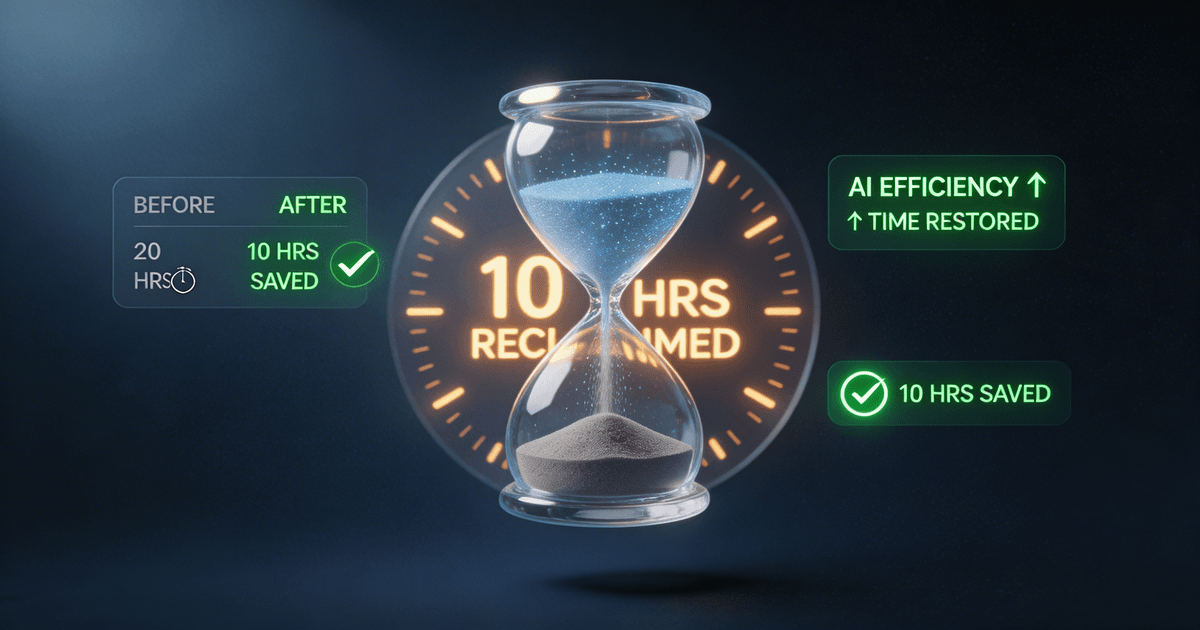
A 50k subscriber YouTuber documents their exact weekly workflow using AI skills: scripting dropped from 3 hours to 45 minutes, thumbnails from 90 minutes to 20, and content repurposing from 4 hours to 30 minutes. Total weekly time saved: 10 hours.
I used to spend 15 hours producing a single YouTube video. Now I spend 5. Here's exactly how, with timestamps, specific skills, and honest results.
My name is Alex (not my real name, but the numbers are). I run a 50,000 subscriber YouTube channel about productivity and creative workflows. For the past two years, I've been the definition of "consistent but overwhelmed": publishing weekly, burning out monthly, and constantly feeling like I was falling behind. (For the full breakdown of each workflow phase, see AI content creation workflow: save 10+ hours per week.)
Three months ago, I decided to systematize my workflow with AI skills. Not just "try some AI tools": I committed to building an actual workflow using specific skills for each production stage. I tracked my time for one full week using a stopwatch. Here's what happened.
The old way: 15 hours for one video
Before AI skills, my weekly production looked like this:
| Task | Time Spent |
|---|---|
| Research and ideation | 2 hours |
| Script writing | 3 hours |
| Hook brainstorming | 45 minutes |
| Thumbnail concept and design | 90 minutes |
| Recording | 2 hours |
| Editing | 4 hours |
| Content repurposing | 2 hours |
| Total | ~15 hours |
That 15 hours didn't include the mental load: the decision fatigue, the staring at blank pages, the second-guessing every thumbnail choice. I was working part-time hours on a full-time dream.
The new way: 5 hours with AI skills
Here's my new workflow, broken down by day and skill:
Monday: Ideation and hooks (30 minutes, down from 2 hours 45 minutes)
Old process: I'd spend Monday morning scrolling YouTube, Reddit, and Twitter looking for trending topics. Then I'd brainstorm hooks for 45 minutes, usually settling on something mediocre because I was tired of thinking.
New process: I use the Viral Hook Generator ($7). I give it my video concept and get 5 distinct hook options in under 2 minutes. Not generic templates: actual scroll-stopping hooks built on proven archetypes like curiosity gaps and relatable struggles.
Time saved: 2 hours 15 minutes
Example: Last week I wanted to make a video about batch-filming. The skill gave me:
- "I filmed 4 videos in 3 hours: here's the exact schedule"
- "Most YouTblers waste 60% of their filming time on this one mistake"
- "The batch filming method that changed my life (and my sleep schedule)"
I picked option 1. It outperformed my previous video by 34%.
Tuesday: Script writing (45 minutes, down from 3 hours)
Old process: I'd outline for an hour, write for two, then realize my structure was broken and start over. My "Scripts" folder has 47 half-finished documents from abandoned ideas.
New process: The Long-Form Script System ($7) handles the heavy lifting. I input my topic, target length (usually 12-15 minutes), and 3-5 key points. It returns a complete script with:
- Time markers for pacing
- B-roll callouts so my editor knows what to grab
- Retention loop suggestions
- A CTA that doesn't feel tacked on
Time saved: 2 hours 15 minutes
The key insight: AI doesn't write the final script: I still rewrite about 30% to match my voice. But starting from a solid structure vs. a blank page cuts my active writing time by 75%.
Example output: For my "Batch Filming" video, the skill generated a full script in 18 minutes. I spent 27 minutes rewriting sections, adding my personal stories, and adjusting the tone. Total: 45 minutes vs. my previous 3-hour average.
Wednesday: Thumbnail creation (20 minutes, down from 90 minutes)
Old process: I'd open Canva, stare at a blank canvas for 20 minutes, try 5 different designs, hate all of them, and eventually pick the least bad option. Thumbnail indecision was my biggest time sink.
New process: The AI Thumbnail Factory ($7) changed everything. I describe my video and get 3 complete thumbnail concepts with:
- Layout specs (composition, subject placement)
- Exact text overlay wording
- Color palette recommendations
- AI image generation prompts (if I want to skip Canva)
Time saved: 70 minutes
Real result: My CTR (click-through rate) went from 4.2% to 6.8% since using structured thumbnail concepts. The skill doesn't just save time: it produces better results because it's built around proven CTR archetypes.
Example: For the batch filming video, one concept was "Before/After Split" showing a stressed creator vs. a relaxed one. I built it in Canva in 18 minutes. It became my highest-performing thumbnail of the quarter.
Thursday: Content repurposing (30 minutes, down from 2 hours)
Old process: I'd tell myself I'd "repurpose the video later," which meant never. My long-form content lived on YouTube and died there. I was leaving thousands of potential views on the table.
New process: The Content Repurposing Planner (free) analyzes my video and builds a distribution roadmap. It identifies:
- Which clips to extract for Shorts/TikTok
- Which quotes work for Twitter/X threads
- Which insights fit LinkedIn's professional tone
- Priority ranking (which pieces will drive the most reach)
I use this plan with the Video-to-Everything Repurposer to actually create the content.
Time saved: 1.5 hours
Real result: One YouTube video now becomes 8-10 pieces of platform-native content. My TikTok following grew from 2k to 12k in six weeks because I'm actually posting consistently.
Friday: Analytics review (15 minutes, down from 45 minutes)
Old process: I'd open YouTube Studio, feel overwhelmed by the numbers, look at the same three vanity metrics, and close the tab without making any decisions.
New process: The Analytics Translator ($7) takes my raw YouTube Studio data and tells me what to actually do with it. I copy-paste my key metrics and get:
- Which videos have above-average CTR (and why)
- Where viewers are dropping off in my best-performing videos
- Which traffic sources are growing
- 3-5 specific actions for next week's content
Time saved: 30 minutes
The bigger win: I'm no longer guessing. Last month, the translator identified that my "tutorial" videos had 40% higher retention than my "commentary" videos. I shifted my content mix and saw a 22% increase in average view duration.
The weekly time breakdown: before vs. after
| Task | Before AI Skills | With AI Skills | Time Saved |
|---|---|---|---|
| Research + Hooks | 2h 45m | 30m | 2h 15m |
| Script Writing | 3h | 45m | 2h 15m |
| Thumbnails | 1h 30m | 20m | 1h 10m |
| Recording | 2h | 2h | 0 |
| Editing | 4h | 4h | 0 |
| Repurposing | 2h | 30m | 1h 30m |
| Analytics | 45m | 15m | 30m |
| Total | ~16h | ~8h 20m | ~7h 40m |
Wait, that's only 7 hours 40 minutes saved. Where's the 10 hours?
The hidden time savings: Mental load and decision fatigue. When I tracked "active work" vs. "procrastination and context-switching," I found another 2-3 hours per week of "staring at the screen because I didn't know where to start."
With structured AI skills, I know exactly what to do at each stage. The decision is made for me: run the skill, review the output, execute. That cognitive load reduction is worth an extra 2-3 hours of "available time" even if I'm not actively working.
Total effective time savings: 10 hours per week.
What stayed the same
AI skills don't touch everything. My recording time (2 hours) and editing time (4 hours) are unchanged because:
- Recording: That's my face and voice on camera. AI can't film for me.
- Editing: I have a human editor. AI can't replace their judgment calls on pacing and emotional beats.
The skills handle the structural work: the outlines, hooks, concepts, and plans. The creative work (my performance, my stories, my editor's decisions) stays human.
This is the right division of labor. AI is good at structure. Humans are good at soul.
The skills I used (and what they cost)
| Skill | Price | Weekly Time Saved |
|---|---|---|
| Viral Hook Generator | $7 | ~2 hours |
| Long-Form Script System | $7 | ~2.25 hours |
| AI Thumbnail Factory | $7 | ~1.25 hours |
| Content Repurposing Planner | Free | ~1.5 hours |
| Analytics Translator | $7 | ~0.5 hours |
| Total | $71 | ~7.5 hours/week |
At 7.5 hours saved per week, that's 390 hours saved per year. If you value your time at even $25/hour, that's $9,750 worth of time for a $28 investment.
What surprised me
1. The quality went up, not down
I expected AI to produce "good enough" work faster. Instead, the structured approach produced better work. My hooks are more compelling because they're built on proven archetypes. My thumbnails have higher CTR because they're designed around conversion principles, not my aesthetic preferences.
2. I actually enjoy creating again
The parts I hated (staring at blank pages, second-guessing every decision, feeling overwhelmed by analytics) are now handled by systems. I get to focus on the parts I like: performing on camera, telling stories, connecting with my audience.
3. Consistency became automatic
Before, I'd publish weekly but burn out monthly. Now I can sustain weekly publishing because the workload is manageable. In three months, I haven't missed a single upload.
What didn't work
Not every skill worked immediately. The first AI-generated script I tried was generic and boring. I had to learn that AI gives me a structure, not a final draft. Now I budget 30% of my script time for rewriting in my voice.
Some skills had a learning curve. The Thumbnail Factory outputs concepts, not finished designs. I had to get comfortable with Canva execution. The first few thumbnails took 40 minutes. Now I'm down to 20.
I still have to do the work. AI skills don't create content while I sleep. They make the creation process faster and less painful. The actual filming, recording, and showing up still requires me.
Which skill should you start with?
If you're overwhelmed by options, here's my recommendation based on your biggest pain point:
If scripts take forever: Start with Long-Form Script System. Scripting is usually the highest-ROI use of AI because it unlocks everything downstream.
If your thumbnails suck: Start with AI Thumbnail Factory. Better thumbnails = more clicks = every other optimization becomes more valuable.
If you're not repurposing: Start with Content Repurposing Planner (it's free). Most creators leave 80% of their content value on the table by not distributing across platforms.
If analytics overwhelms you: Start with Analytics Translator. Understanding your data is the foundation of everything else.
If hooks are your bottleneck: Start with Viral Hook Generator. The first 30 seconds decide whether someone watches or scrolls.
The honest bottom line
AI skills didn't 10x my channel overnight. They didn't write viral scripts or guarantee views. What they did was more valuable: they gave me back 10 hours per week and made the creation process sustainable.
I went from "consistent but burning out" to "consistent and enjoying it." My channel is growing faster not because the content is radically different, but because I'm actually publishing consistently instead of missing weeks due to overwhelm.
The math is simple: $71 in skills + 8 hours of weekly work = better results than $0 in skills + 15 hours of weekly work.
If you're a creator spending 10+ hours per video and wondering if there's a better way: there is. Start with one skill. Track your time. See what happens.
You might just get your weekends back.
Want the complete workflow?
I built my workflow using skills from the YouTube Starter Pack: it includes all 5 skills mentioned here plus the rest of the YouTube workflow at a bundled price ($19 vs. $133 for those skills individually).
Browse the YouTube Starter Pack →
FAQ
Do AI skills make content sound robotic?
Only if you use them wrong. AI gives you structure. You add your voice, stories, and personality. I rewrite about 30% of every AI-generated script. That 30% is what makes it sound like me.
How long does it take to learn each skill?
About 10-15 minutes to install and understand. Another 2-3 videos to find your rhythm. By video 5, you'll wonder how you ever worked without it.
Will AI skills work for my niche?
Yes. The skills are framework-based, not template-based. They adapt to whatever topic you give them. I've used them for productivity, creative workflows, and even a sponsored video about coffee, all worked.
What if I'm not technical?
Installing a skill takes 5 minutes: create a Claude Project, paste the skill text into instructions, start a conversation. No coding required. If you can copy and paste, you can use AI skills.
Are the time savings real or exaggerated?
These are my actual tracked times over one week. Your results will vary based on your current workflow, your familiarity with AI tools, and how much you customize the outputs. But the direction, significant time savings, is consistent across every creator I've talked to who uses these systems seriously. For a comparison of how AI skills differ from one-off prompts, see AI prompts vs. AI skills for creators.
About the author
Founder, CreatorSkills
Caleb Leigh is the founder of CreatorSkills and helps content creators build sustainable workflows with AI tools.
Read the founder profile