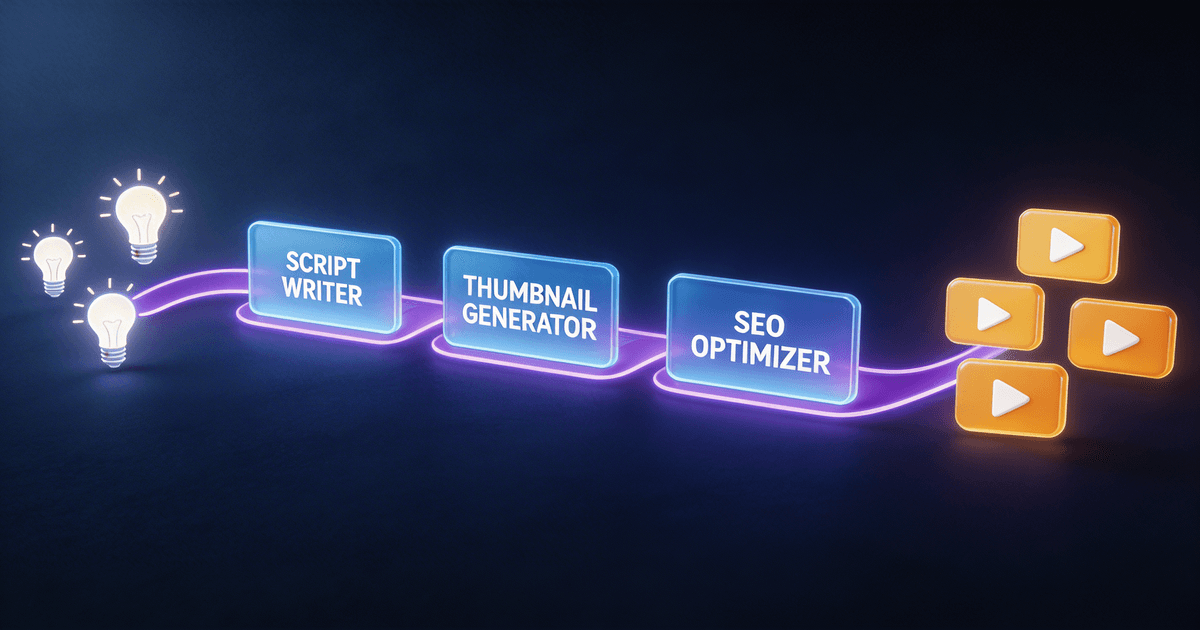
AI Tools for YouTubers: The Complete 2026 Growth Stack
The best AI tools for YouTubers in 2026 include scripting systems, thumbnail generators, analytics translators, and content repurposers. Here's how to pick what actually moves the needle for your channel.
If you are a YouTuber wondering which AI tools actually help grow your channel, here is the truth: most AI tools are distractions. They promise automation but deliver busywork. The tools that actually move the needle solve specific jobs — and most YouTubers only need to solve four of them.
This guide covers the AI tools that fit each job and shows you how to build a growth stack without wasting money on things that look cool but do not compound.
The four jobs that grow a YouTube channel
Every YouTube channel runs on four core jobs:
- Scripting — turning ideas into structured episodes
- Packaging — getting people to click when your video appears in search or recommendations
- Analytics — understanding what is working and what to try next
- Repurposing — turning one video into content across multiple platforms
Most AI tools claim to help with all four. Only a few actually nail one. Here is what works in 2026.
Job 1: Scripting — turning ideas into episodes
The Long-Form Script System is the tool that most YouTubers need first. If your scripts feel ramble-y, unfocused, or lacking hooks, nothing else matters. Weak episodes poison everything downstream — packaging has less to sell, analytics become harder to interpret, and repurposing multiplies weaker source material.
What the Long-Form Script System actually does:
- Gives you a reusable structure for turning rough notes into a full episode
- Builds hooks into every section so retention stays strong
- Creates a template that adapts to any niche or format
This is not about writing faster. It is about writing with a structure that keeps viewers watching.
When to use it
Use this if you spend more than 30 minutes per script, if your videos feel unfocused, or if you are inconsistent in how you present information. The tool pays off immediately if your bottleneck is episode quality.
Job 2: Packaging — getting people to click
Even great videos die with bad thumbnails and titles. The AI Thumbnail Factory generates high-click-through-rate thumbnails using proven psychological triggers.
What AI Thumbnail Factory actually does:
- Creates thumbnails optimized for the YouTube algorithm
- Tests multiple variations before you publish
- Builds a library of swipe-able templates for your niche
This is the fastest way to improve results without changing your content. A better thumbnail can double your CTR while your content stays exactly the same.
When to use it
Use this if your click-through rate is below 4%, if you hate designing thumbnails, or if you publish frequently and need a system that scales.
Job 3: Analytics — turning data into decisions
Most YouTubers have data but no insights. The Analytics Translator turns your YouTube Studio metrics into clear action items.
What Analytics Translator actually does:
- Translates raw numbers into specific experiments to run
- Identifies which videos are working and why
- Spots patterns across your content that are easy to miss
This is the tool that separates YouTubers who guess from YouTubers who know.
When to use it
Use this if you check your analytics regularly but do not know what to do with what you see. If you find yourself saying "I know the numbers but do not know what they mean," this tool is for you.
Job 4: Repurposing — multiplying your content
The Video-to-Everything Repurposer turns one long-form video into shorts, clips, threads, newsletters, and blog posts.
What Video-to-Everything Repurposer actually does:
- Automatically extracts the best moments from your videos
- Formats content for each platform with the right dimensions and captions
- Creates a distribution system so one upload feeds your entire presence
This is how you grow on multiple platforms without creating more content from scratch.
When to use it
Use this if you are active on YouTube Shorts, LinkedIn, X, or any platform beyond YouTube. If your YouTube video only lives on YouTube, you are leaving value on the table.
Building your 2026 YouTube growth stack
You do not need all four tools at once. Start where the leak is largest:
| Your bottleneck | Best tool to start with | Why |
|---|---|---|
| Videos take too long or feel weak | Long-Form Script System | Fix the episode before optimizing everything else |
| Click-through rate is low | AI Thumbnail Factory | Packaging is the fastest way to lift results |
| You have data but no direction | Analytics Translator | Turn numbers into experiments |
| You want to expand to more platforms | Video-to-Everything Repurposer | Multiply every video you publish |
If you want the fastest path to results and prefer not to pick individually, the YouTube Starter Pack includes all four tools at a bundled price.
What about the other AI tools?
You have probably seen dozens of AI tools marketed to YouTubers:
- AI writing tools that generate entire scripts
- AI video editors that claim to automate post-production
- AI thumbnail makers with generic templates
- AI trend predictors that tell you what to make next
Most of these are either:
- Too generic to work well for your specific niche
- Automating the wrong part of your workflow
- Creating content that feels robotic and hurts retention
The four tools above are different. Each solves one specific job that actually grows your channel. They do not replace your creativity — they amplify it.
What about SEO and titles?
Good question. If searchability is part of your strategy, add the SEO Title & Description Writer after you have the core stack working. It writes titles and descriptions optimized for YouTube search, which matters if you want to capture traffic from Google and YouTube search results.
Final thoughts
AI is not a magic bullet for YouTube growth. It is a lever — and like all levers, it only works if you push on the right thing.
Figure out your bottleneck first. Then pick the tool that solves that specific job. Do not buy tools because they are cool. Buy them because they fix what is actually broken in your workflow.
Start with one. Master it. Then add the next.
Your channel will thank you.
Not ready to invest yet? Start with a free skill to see exactly what a structured AI workflow feels like. The YouTube Chapter Generator and Content Idea Brainstormer are both completely free — no credit card, no trial. Install one, use it on your next video, and then decide if you want to add more. → Browse all free skills
Want a deeper dive on any of these tools? Check out the YouTube Creator workflow hub for complete guides, tutorials, and real-world examples from YouTubers who have used each system. If you want to connect these tools into a single end-to-end pipeline, read our guide to building an automated YouTube workflow with AI.
About the author
Founder, CreatorSkills
Caleb Leigh is the founder of CreatorSkills and focuses on AI workflows that actually move the needle for content creators.
Read the founder profile