Best AI Tools for YouTube Creators in 2026
There are hundreds of AI tools marketed at YouTubers. Most are noise. This guide breaks down the seven tools actually worth your time in 2026: organized by the job they do in your workflow.
There are more AI tools for YouTube creators now than anyone can reasonably test. Most of them are bad, not broken, just not useful. They automate the wrong parts of your workflow, produce content that sounds generic, or add friction instead of removing it.
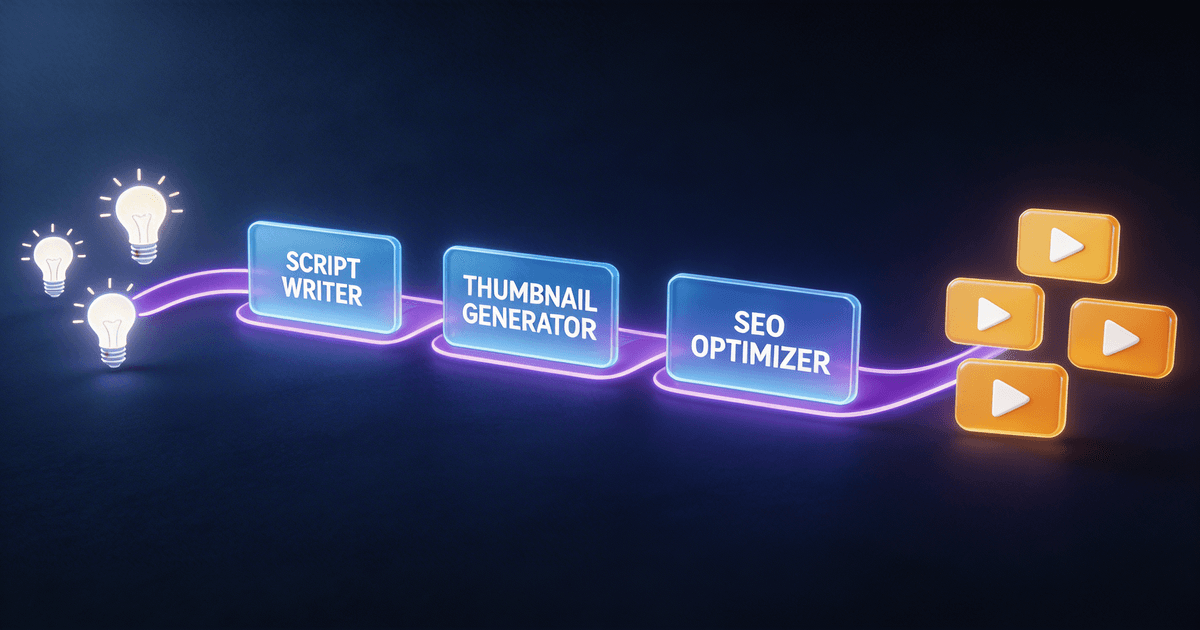
This guide is a practical breakdown of the best AI tools for YouTube creators in 2026, organized by the job they do in your workflow. Seven categories, honest takes on what each does well and where it falls short, and which specific tools are worth your time.
One thing up front: the best AI tools for YouTube solve a specific bottleneck in your workflow. Figure out where you're losing the most time or leaving the most performance on the table. That's where to start.
1. AI scripting tools
The job: Turn a rough idea into a structured, watchable episode: faster.
Writing scripts is where most YouTubers first turn to AI, and it's where AI disappoints the most. Paste a topic into ChatGPT and you'll get a technically correct, completely generic 1,200-word script that sounds nothing like you and needs to be rewritten from scratch.
The difference between a bad AI scripting experience and a good one comes down to structure. AI is great at following a framework. It's bad at inventing one.
What works well:
- Claude (claude.ai) is the strongest base model for long-form scripting. It handles nuance, sustains your voice across long drafts, and takes corrections well. For free-form scripting prompts, it's the best starting point.
- ChatGPT is faster for brainstorming hooks and title variations, but tends to get generic in the middle of longer scripts.
- Long-Form Script System (Creator Skills) is the structured workflow version: it breaks scriptwriting into stages (hook, outline, beat-by-beat draft, pacing check) and carries your voice and niche context across the whole process instead of starting fresh every time.
Where AI scripting falls short: AI can't watch your previous videos. It doesn't know your audience's actual language, the jokes that landed, or the format your viewers expect. Plan on 20-30% editing even with good tools.
Best for: YouTubers publishing weekly who spend 2+ hours per script. If scripting is your biggest bottleneck, this is the first place to invest.
2. Hook and title writing tools
The job: Write first lines that stop the scroll and titles that get clicks.
Your first 8 seconds and your title do more for watch time and CTR than anything else. Most creators write hooks as an afterthought, at the end of scripting when their creative energy is spent.
AI is genuinely good at generating hook variations: it can produce 10 different openers in 30 seconds, covering question hooks, bold-claim hooks, story-opener hooks, and pattern-interrupt hooks. The challenge is that generic hooks ("In this video, I'm going to show you...") are also statistically common in training data, so you have to push past the first outputs.
What works well:
- Claude/ChatGPT with specific prompts can generate strong hook variations when you give them the video topic, audience, and hook style to target. Free and fast.
- Viral Hook Generator (Creator Skills) produces hooks tuned to your content format and pairs each with a matching thumbnail visual suggestion, so your opening frame and first words work together rather than fighting each other.
- TubeBuddy's AI title generator is decent for keyword-optimized titles if you're on a TubeBuddy plan already, but the suggestions tend to be safe rather than click-worthy.
Where it falls short: AI-generated hooks often have the right structure but the wrong specificity. "I made $0 for six months, then everything changed" is a hook. "Here's why you're not getting views" is not. You usually need to swap in a specific detail from your actual video to make the hook land.
Best for: Anyone with CTR below 5% or who writes their hooks during scripting rather than before.
3. Thumbnail tools
The job: Design thumbnails that stand out in a crowded feed and convert browsers into viewers.
Thumbnails are the one place in the YouTube workflow where most creators are genuinely held back by a design skill gap. The gap is technical execution. You know what feels right, but creating it takes time or looks amateur.
AI has made this gap smaller, but not closed it. Image generation has gotten better but still struggles with text, faces, and the specific visual codes of different YouTube niches.
What works well:
- Midjourney is the strongest image generator for thumbnail backgrounds and conceptual imagery. Good for faceless channels or channels that use illustrated/graphic thumbnails.
- Adobe Firefly integrates cleanly into Photoshop and is better for manipulating photos than generating from scratch.
- Canva's AI features are accessible and handle the basics well: Magic Design can generate starting layouts you can edit from, which is faster than starting from a blank canvas.
- AI Thumbnail Factory (Creator Skills) works differently from image generators: it generates concepts and specs within your established visual brand, including A/B test variations and mobile-optimized text placement. It doesn't replace Photoshop or Canva; it gives you the creative brief so execution is faster.
Where it falls short: No AI tool fully generates production-ready thumbnails that look like your channel. You still need to execute the concept in a design tool. The value from AI here is speed on the ideation side, not elimination of the design step.
Best for: Creators who hate designing thumbnails, or who spend more than 30 minutes per thumbnail.
4. YouTube SEO tools
The job: Get your videos found in YouTube Search and Google Video results.
YouTube SEO has two distinct problems. The first is keyword research: finding what people are actually searching for in your niche. The second is optimizing your titles, descriptions, and tags to rank for those searches. AI helps with both, but they need different tools.
What works well:
- vidIQ remains one of the best tools for YouTube keyword research specifically. Its keyword score combines search volume, competition, and overall opportunity in a format that's easy to act on. The AI features for title suggestions have improved in 2026.
- TubeBuddy is strong for bulk optimization: AB title testing, bulk description updates, and thumbnail A/B testing. Better than vidIQ for the testing side, roughly equivalent on keyword research.
- YouTube SEO System (Creator Skills) handles the AI-assisted side of SEO: writing titles and descriptions optimized for both YouTube search and Google video results, generating keyword-rich chapter timestamps, and structuring video metadata for maximum discoverability. Works best when paired with keyword research from vidIQ or TubeBuddy.
- SEO Title & Description Writer (Creator Skills) is the focused version if you just want better titles and descriptions without the full SEO framework.
Where it falls short: No AI tool can tell you whether a keyword will rank for your specific channel and authority level. Keyword research tools show potential: your content and track record determine whether you actually get there.
Best for: Channels under 50K subscribers who are trying to grow through search rather than just algorithmic recommendations.
5. AI video editing and transcription tools
The job: Cut footage, remove filler, add captions, and pull clips: without spending 4+ hours in a timeline.
This is the area where AI has made the most visible progress in the last two years. Tools that used to require a video editor to operate are now genuinely accessible for creators who handle their own post-production.
What works well:
- Descript is the most comprehensive AI editing tool for YouTubers. It transcribes your footage, lets you edit video by editing text (delete a word, the clip is cut), removes filler words automatically, and has a fairly reliable overdub feature for fixing small mistakes without re-recording. The learning curve is real but worth it if you're editing your own content.
- Opus Clip is purpose-built for extracting viral clips from long videos: it scores moments in your video for clip potential and auto-formats them for Shorts, TikTok, and Reels. Genuinely fast if your workflow includes short-form content.
- CapCut (the desktop version) has strong AI caption features and is free for most use cases. If you're creating Shorts or vertical content, it's hard to beat for speed.
Where it falls short: AI editing tools are good at the mechanical parts (cuts, captions, pacing). They're bad at judgment calls: knowing that the tangent you went on at 8:32 is actually the most interesting part of the video, or that the scripted ending feels flat and needs to be cut. That editorial judgment is still yours.
Best for: Solo creators who handle their own editing and want to cut post-production time without hiring an editor.
6. Analytics tools
The job: Turn YouTube Studio data into clear actions, not just charts.
Most YouTubers check their analytics regularly and do nothing differently as a result. The data is there; the interpretation isn't. YouTube Studio tells you your CTR dropped. It doesn't tell you why, or what to test to fix it.
What works well:
- YouTube Studio's native AI suggestions have gotten more actionable in 2026: the "ideas" tab now surfaces specific video suggestions based on what your audience watches next. Worth checking if you haven't recently.
- vidIQ's Channel Audit tool pulls together a channel-level diagnosis that's more readable than raw analytics.
- Analytics Translator (Creator Skills) is for when you have the data but don't know what to do with it. Paste in your key metrics and it translates them into specific experiments to run on your next 3-5 videos, not "improve your CTR," but "your CTR is strong on tutorials but weak on opinion pieces, try a face-forward thumbnail on your next opinion video."
Where it falls short: No tool can diagnose algorithmic changes or niche-wide shifts that are suppressing your numbers for reasons outside your control. Sometimes views drop because the algorithm changed, not because you did anything wrong.
Best for: Creators who check their stats but don't have a clear process for turning observations into decisions.
7. Content repurposing tools
The job: Turn one YouTube video into content that lives on every platform you're active on.
The math here is simple: if you spend 8 hours producing a YouTube video and it lives only on YouTube, you're underutilizing your work. A single video can generate a week's worth of content for Instagram, LinkedIn, Twitter/X, email, and YouTube Shorts: if you have a process.
The problem is that repurposing is tedious. Pulling clips, writing captions, adapting tone for each platform, resizing... it's another job stacked on top of the first one. This is the area where AI earns its cost most clearly.
What works well:
- Opus Clip (mentioned above) handles clip extraction and Shorts formatting. Strong for the video side.
- Castmagic is good for text-based repurposing from a transcript: it generates summaries, email newsletters, social posts, and show notes. Better for podcasters but usable for YouTube.
- Video-to-Everything Repurposer (Creator Skills) generates 10-15 platform-specific posts from a single transcript: Twitter/X threads, LinkedIn posts, Instagram captions, newsletter paragraphs, YouTube community posts. It adapts tone for each platform and preserves your speaking style rather than producing generic output. One video becomes a week of content. For the Community tab specifically, the free community post ideas skill generates standalone post ideas (polls, questions, and behind-the-scenes updates) without requiring a transcript as input, so you can fill the tab between uploads without extra effort.
Where it falls short: Repurposed content still needs a quick review and edit. AI will miss context-specific jokes, references to things that only work in video format, and platform-specific engagement patterns in your specific niche. Budget 10-15 minutes per batch.
Best for: Creators who are active (or want to be active) on more than one platform, or who want to build an email list off their YouTube content.
How to build your AI tool stack without overspending
You don't need all seven categories at once. Most YouTubers have one or two bottlenecks that are costing them the most time or performance. The right move is to identify those and solve them first.
Here's a simple framework:
| If your biggest problem is... | Start with |
|---|---|
| Scripts take too long or feel generic | Long-Form Script System + Claude |
| CTR is low, viewers aren't clicking | AI Thumbnail Factory + Viral Hook Generator |
| Videos aren't getting found in search | YouTube SEO System + vidIQ |
| Editing takes all weekend | Descript |
| You have data but no direction | Analytics Translator |
| You want to grow on multiple platforms | Video-to-Everything Repurposer + Opus Clip |
If you want a packaged starting point, the YouTube Creator Pack bundles the Creator Skills tools that cover scripting, thumbnails, hooks, and repurposing at a bundled price: a good option if you're just starting to build your AI workflow.
What about AI video generation tools?
Tools like Sora, Runway, and Kling can now generate short video clips from text or images. They're impressive and getting better fast. For most YouTubers in 2026, they're still in the "interesting but not practically useful" category: the output quality isn't consistent enough for professional content, and the amount of prompting required to get usable clips often takes longer than just filming.
Worth watching, not worth building a workflow around yet.
New to Creator Skills? Two free skills work well as an entry point: YouTube Chapter Generator turns your transcript into search-ready chapters in seconds, and YouTube Video Description Writer writes your full description and pinned comment draft so you're not staring at the upload box. Both install in under 2 minutes. → Browse all free skills
The bottom line
The best AI tools for YouTube creators solve real, specific problems in your weekly workflow, whatever the hype says.
Pick one. Give it two weeks. If it genuinely saves you time and the output quality holds up, add the next. That's how you build an AI workflow that actually sticks.
Want to see how these tools fit into a complete YouTube production system? Read the complete guide to building an AI-powered YouTube workflow or browse the full YouTube creator skill library to find tools for every stage of your channel.
About the author
Founder, CreatorSkills
Caleb Leigh is the founder of CreatorSkills and focuses on buyer-first AI workflows for content creators.
Read the founder profile