How to Automate Content Repurposing with AI
Most creators repurpose content manually, or not at all. Here's how to build an automated AI pipeline that converts one video into blog posts, social threads, newsletter sections, and Shorts scripts every single time you publish.
You published a YouTube video last Tuesday. It got decent views. But the thread you planned to write from it? Never happened. The newsletter mention? Forgot. The LinkedIn post? Maybe next time.
This is how most creators handle repurposing, with good intentions and no system. The video lives on YouTube and nowhere else. All that research, scripting, and recording produces exactly one piece of content.
The fix is not "try harder" or "be more disciplined." The fix is automation. Build an AI-powered repurposing pipeline once, and it runs every time you hit publish. Here is exactly how to set one up.
Why one-off repurposing always fails
Most repurposing advice sounds reasonable: "After you post a video, write a Twitter thread about it." Simple enough, right?
In practice, you have already spent your creative energy on the video. You are tired. There are comments to respond to, analytics to check, and the next video to plan. Repurposing drops to the bottom of the list: then falls off entirely.
Manual repurposing makes you repeat the same creative decisions every single time:
- Which moments from the video translate to social?
- What angle works for LinkedIn versus Twitter/X?
- How do I restructure a 15-minute video into a 200-word newsletter blurb?
- Which parts would make a good Short?
Those decisions take mental energy. When you are already drained from creating the source content, there is nothing left for distribution.
Automation removes the decision fatigue. You build the system once (which platforms, which formats, which order) and then you just feed it your content. The thinking is already done.
The 5-format repurposing pipeline
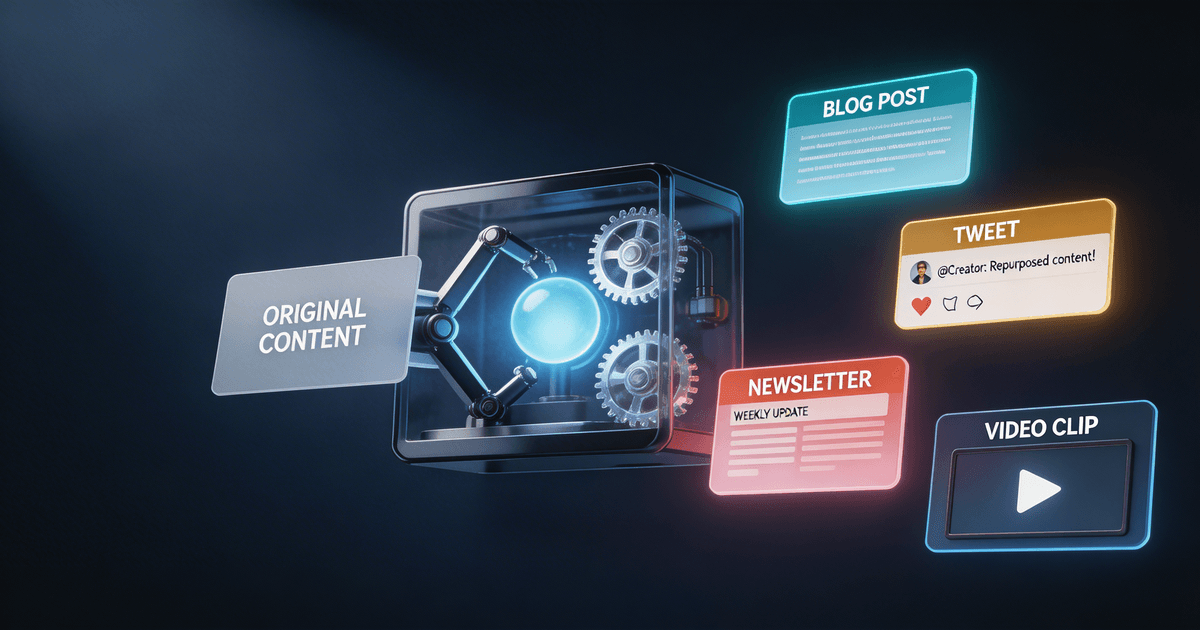
Here is the system. One YouTube video goes in. Five content formats come out. Every time.
Format 1: Twitter/X thread
Your video's key insights, restructured as a 5-10 tweet narrative thread. Strong hook first, each tweet builds on the last, and the final tweet links back to the full video.
Why it works: Threads perform well algorithmically because they keep people on-platform. A good thread from a 15-minute video gets you reach that a simple "new video" link tweet never will. The free YouTube-to-Twitter thread skill handles the extraction automatically: paste your transcript and get a properly structured 5-10 tweet thread in seconds, with a strong hook tweet and one-idea-per-tweet body.
Format 2: LinkedIn post
A single-post version of your video's main argument, rewritten for a professional audience. Different tone, different structure, same core insight.
Why it works: LinkedIn rewards original written content. Reposting a YouTube link gets buried. A native post with a personal angle gets visibility.
Format 3: Newsletter section
A 150-300 word section for your email list that teases the video's topic with a unique angle. Not a summary: a standalone insight that makes subscribers want to watch the full thing.
Why it works: Your email list is your most valuable audience. Giving them a reason to engage with each video keeps open rates high and builds the video-to-email feedback loop.
Format 4: YouTube Shorts script
One or two 30-60 second scripts pulled from the most quotable, dramatic, or surprising moments in your video. Formatted for vertical with a hook in the first 2 seconds.
Why it works: Shorts feed the algorithm and bring new viewers into your long-form content. They are also the easiest to produce since the footage already exists.
Format 5: Blog post outline
A structured outline that turns your video's content into a written article. Not a transcript: a reorganized, scannable blog post with proper headers, intro, and conclusion.
Why it works: Blog posts capture search traffic for months or years. People who would never click a YouTube link will read (and share) a well-written article. For a detailed walkthrough of this specific format, see our full guide on how to automate content repurposing with AI.
How to build this system with AI skills
Here is the step-by-step setup. Do this once, then repeat the last two steps every time you publish.
Step 1: Plan your content for repurposing (before you record)
Install the Content Repurposing Planner and run it on your video topic before you hit record. It will map out which moments will work on which platforms and suggest angles for each format.
This changes how you create. You will naturally include more quotable moments, clearer takeaways, and better hooks because you already know how the content will be sliced up later.
Time cost: 10 minutes before recording. Payoff: Every format comes out stronger because the source material was built for repurposing.
Step 2: Set up your format templates
Decide on your specific preferences for each format:
- Thread style: Do you use numbering? Emojis? A specific sign-off?
- LinkedIn tone: First-person storytelling or lesson-based?
- Newsletter format: Standalone section or "what I published this week" roundup?
- Shorts length: 30 seconds or 60? Talking head or b-roll?
- Blog depth: Full longform or quick summary post?
Write these preferences down. They become the instructions you give your AI skill every time, or better yet, bake them into a brand voice profile so the output matches your style from the start.
Step 3: Run the pipeline after every video
Once your video is published (or even while it is rendering), grab the transcript or script and feed it to the Video-to-Everything Repurposer. In one pass, you get all five formats drafted.
The skill analyzes your content for:
- Quotable moments that work as standalone social posts
- Contrarian takes that drive engagement on Twitter/X and LinkedIn
- Data points and specific examples that anchor each format
- Narrative arcs that translate into thread structure
- Hook-worthy openings for Shorts scripts
Time cost: 2 minutes to paste the transcript. 15 minutes to review and edit the outputs. That is it.
Step 4: Polish and schedule
Review each format output. You are editing now, not writing, which is dramatically faster. Tweak any phrasing that does not sound like you, adjust platform-specific details, and schedule posts across the week.
A good cadence for one video:
- Day 1 (publish day): YouTube video goes live + newsletter mention
- Day 2: Twitter/X thread
- Day 3: LinkedIn post
- Day 4-5: Shorts go up
- Day 6-7: Blog post published
One video. Six days of content. Under 30 minutes of repurposing work.
Converting individual posts between formats
Sometimes you want to take a single post that performed well and push it to another platform. The Post-to-Thread Converter handles this: turn a LinkedIn post into a Twitter thread, a thread into a newsletter section, or a blog excerpt into social posts.
This is useful for two situations:
- A post went viral on one platform. Push that same insight to other platforms while the topic is hot.
- You want to test content before making a video. Write a thread or LinkedIn post first. If it resonates, turn it into a full video topic.
What automation gets wrong (and how to fix it)
Automated repurposing has one failure mode: every platform starts sounding the same. You end up with five versions of the same paragraph, just different lengths.
Here is how to avoid that:
Use platform-specific angles, not summaries. A good Twitter thread takes one provocative point from your video and builds an argument around it. A good LinkedIn post tells a personal story that connects to the video's lesson. They should not read like the same text, cut to different lengths.
Edit for voice. AI gets your ideas right but might miss your tone. Spend 2-3 minutes per format checking that it sounds like you. If you have built a voice profile, the output will be closer from the start, but always do a final read-through.
Do not post everything at once. Spacing content across the week gives each piece room to perform. It also keeps you visible in feeds daily instead of flooding everything on publish day.
Your repurposing system starts now
Here is what to do today:
- Pick your next video topic and run it through the Content Repurposing Planner before you record.
- After recording, paste the transcript into the Video-to-Everything Repurposer and generate all five formats.
- Schedule one week of posts from that single video.
- Track what performs. After a few rounds, you will know which formats drive the most engagement for your audience, and you can adjust the pipeline.
The creators who grow fastest in 2026 get more mileage from the content they already make. An automated repurposing pipeline is the single highest-leverage system you can build.
About the author
CreatorSkills.co
The CreatorSkills team publishes practical guides on AI workflows for content creators.
About CreatorSkills