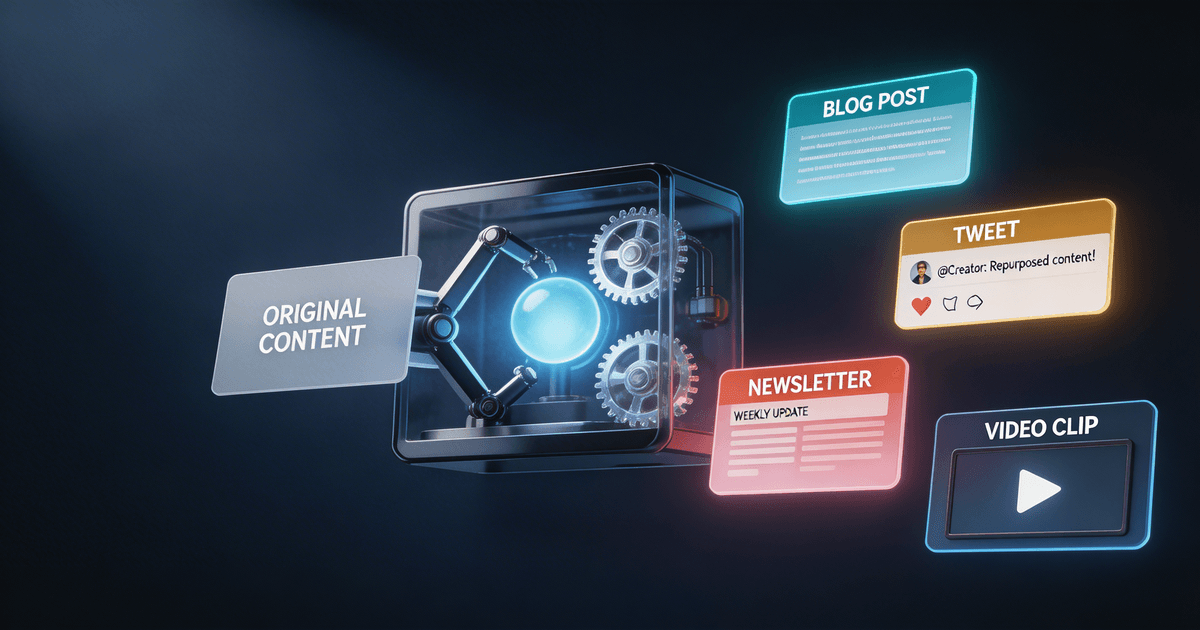
AI-Powered Content Repurposing: Tools and Workflows for Creators
Most content repurposing advice tells you what to do, not how to build a system that does it automatically. This guide covers the actual tools (including honest comparisons), the workflows that work at scale, and how to turn a single YouTube video into a full week of cross-platform content without hiring a team.
You published a YouTube video. You spent 6 hours on it: research, scripting, recording, editing. That video will reach your YouTube audience. But the 40% of your audience that prefers newsletters? Missed. The LinkedIn followers who'd share your best insight? Missed. The Twitter crowd who'd engage with that one counterintuitive take? Also missed.
This is the repurposing gap. Every piece of long-form content you create is a source of potential reach across 5–7 platforms, and most creators convert maybe 10% of that potential because repurposing manually is too slow to be sustainable.
AI changes the math. A proper AI-powered repurposing workflow can turn one YouTube video into a week of cross-platform content in under an hour. This guide covers exactly how: the tools that actually work, the workflows that run at scale, and how to avoid the two failure modes that make most AI repurposing look and sound robotic.
Why most creators don't repurpose (and why AI changes that)
The honest reason creators skip repurposing comes down to math.
A single YouTube video repurposed across five platforms (Twitter/X thread, LinkedIn post, Instagram caption, newsletter section, Shorts script) takes 3–4 hours if you're doing it manually and doing it well. That's 3–4 hours you'd rather spend on the next video.
So creators make the rational choice: they publish on YouTube and skip the distribution. The content sits on one platform, gets one distribution window, and then it's done.
AI repurposing breaks this tradeoff. The actual work of repurposing (reading the transcript, identifying the strongest angles for each platform, adapting the tone and format, and writing platform-specific versions) is exactly the kind of structured transformation task that AI is genuinely good at.
The result: what took 3 hours manually takes 20–45 minutes with AI assistance, most of which is your review and light editing. The economics flip. Repurposing every video becomes the obvious choice.
The AI content repurposing toolkit: what each tool actually does
There are roughly four categories of tools in the repurposing stack. Understanding which category handles which problem saves you from paying for redundant subscriptions.
Category 1: AI text rewriters and adapters
These are the workhorses of repurposing. You paste in a transcript or long-form content, and they generate platform-specific versions.
Claude with creator skills is the strongest option for text-based repurposing. The Video-to-Everything Repurposer skill generates 10–15 derivative pieces from a single video transcript: Twitter/X threads, LinkedIn posts, Instagram captions, newsletter sections, Shorts scripts, and a blog post outline, all in one pass. Because it's running as a Claude skill (not a one-off prompt), it carries your voice context from your Brand Voice Codex, so outputs are adapted to your tone, not just reformatted.
Jasper, Copy.ai, and similar writing tools do similar work but in a more generic way. They lack the persistent voice context that Claude Projects enable and require more manual editing to sound like you. They work fine for broad content types but tend to underperform for creators with a distinctive voice or niche-specific vocabulary.
ChatGPT with Custom GPTs can be configured for repurposing but requires more setup than a pre-built creator skill. See the platforms page for ChatGPT-specific skill options.
Category 2: Video-to-clips tools
These extract short clips from long videos for Shorts, TikToks, and Reels.
Opus Clip ($19–$49/month) automatically identifies the highest-engagement moments in your video and packages them as Shorts-ready clips with auto-captions. It's the most polished purpose-built tool in this category.
Descript ($12–$24/month) handles both video editing and clip extraction, with AI-generated transcripts and the ability to edit video by editing the transcript text. Strong for podcasters who also need to create video clips.
YouTube's built-in clipping is free and underused. For simple Shorts creation from existing long-form videos, it's often enough to start with before paying for a specialized tool.
Category 3: Social scheduling and distribution
These handle where the content goes after it's created.
Buffer ($6–$12/month) and Later ($18–$80/month) both handle scheduling across Instagram, TikTok, LinkedIn, Twitter/X, Pinterest, and YouTube. They don't help you create the content. They help you distribute it consistently.
Hypefury ($19–$49/month) is Twitter/X-specific and handles thread posting, auto-retweet, and engagement automation. Worth it if Twitter is a primary distribution channel.
Category 4: AI transcription
Before you can repurpose a video, you need its transcript.
YouTube's automatic captions are free and good enough for most repurposing work. Download them from YouTube Studio under Subtitles.
Descript generates transcripts with speaker labels, which is useful for podcasts with multiple hosts.
AssemblyAI and Deepgram are API-level transcription services: relevant if you're building a custom workflow rather than using off-the-shelf tools.
The standard AI repurposing workflow (step by step)
This workflow is built around Claude with the Video-to-Everything Repurposer skill as the text engine. Adapt it to your tools of choice.
Step 1: Get the transcript (5 minutes)
Go to YouTube Studio → your video → Subtitles → three-dot menu → Download. You'll get a .vtt or .srt file. Clean it up quickly, remove the timestamp codes, and you have your source document.
For podcasts, export your Descript transcript or use YouTube's automatic captions if you already upload episodes there.
What you're looking for: The full text of your content, including the examples, anecdotes, and specific data points. These are the raw material the AI will work with.
Step 2: Run the Video-to-Everything Repurposer (10 minutes)
Open your Claude Project with the Video-to-Everything Repurposer skill installed. Paste the cleaned transcript and run it. The skill generates:
- 3–5 Twitter/X thread options (leading with different angles)
- A LinkedIn post (professional framing, narrative structure)
- 2–3 Instagram caption options (short, visual, emotionally resonant)
- A newsletter section or intro (direct, personal, with a clear value statement)
- 2–3 Shorts script options (first 3 seconds, hook, payoff)
- A blog post outline (for SEO-optimized long-form adaptation)
Review the output. Pick the strongest versions of each. This takes 5–10 minutes depending on how much you edit.
Step 3: Edit for your voice (15 minutes)
AI gets the structure right. You get the voice right.
Go through each piece and make three types of edits:
- Swap in your specific examples. The AI will write "many creators find that...". You replace it with "I tested this on my last 12 videos and..."
- Remove the AI tells. Phrases like "it's worth noting," "in essence," "it's crucial to," and "delves into" are AI writing patterns that sound slightly off. Cut them.
- Add one thing only you would say. Your take, your weird analogy, the thing that happened on your commute that actually explains the concept. This is what makes repurposed content feel like you, not like a summary.
Step 4: Schedule distribution (10 minutes)
Queue everything in your scheduling tool. The goal is to spread the derivative content across the week after the video publishes:
- Day 0 (publish day): YouTube video live, Twitter/X thread, Instagram caption
- Day 2: LinkedIn post
- Day 4: Newsletter section
- Day 6: Shorts (if you create video clips)
Total active time: ~40–45 minutes per video. Compare to 3–4 hours manually.
The advanced repurposing stack: when to add more tools
The standard workflow above handles most of what creators need. Add to it when you have a specific gap:
Add Opus Clip when you want video-first Shorts
If your audience responds better to video clips than graphics or text-based Shorts, Opus Clip identifies the right moments automatically. Worth $19/month once you're publishing Shorts consistently.
Add the Content Repurposing Planner when the strategy isn't working
If your repurposed content is getting distributed but not engaging, the problem is usually strategy, not execution. The Content Repurposing Planner builds your platform-by-platform distribution strategy, which formats work where, what angles resonate with each audience, and how to track performance by platform.
Add the Post-to-Thread Converter for newsletter-to-social repurposing
If you write a newsletter first (and YouTube second), the Post-to-Thread Converter works in the opposite direction: turning long-form written content into social posts, threads, and video outlines.
Tool comparison: AI repurposing options side by side
Competitor prices verified early 2026 and quoted in USD: third-party SaaS pricing changes often, so check each vendor's pricing page before deciding. The CreatorSkills price ($7 one-time) is the stable point of comparison: a recurring monthly subscription vs. a single $7 purchase.
| Tool | Category | Price | Best for | Limitation |
|---|---|---|---|---|
| Video-to-Everything Repurposer (CreatorSkills) | Text adapter | $7 one-time + Claude Pro | Full text repurposing stack | No video clip extraction |
| Opus Clip | Video clips | $19–$49/month | Shorts creation | Text-heavy repurposing |
| Descript | Video + transcript | $12–$24/month | Podcast creators, video editing | More complex workflow |
| Jasper | Text adapter | $39–$99/month | Generic content | Weak voice persistence |
| Copy.ai | Text adapter | $0–$36/month | Quick first drafts | Requires heavy editing |
| ChatGPT + Custom GPT | Text adapter | $20/month | ChatGPT-native users | Closed ecosystem, no portable skills |
| Buffer / Later | Distribution | $6–$80/month | Scheduling across platforms | Doesn't create content |
| Hypefury | Distribution | $19–$49/month | Twitter/X power users | Twitter-only |
The most cost-effective setup for most creators: Claude Pro ($20/month) + Video-to-Everything Repurposer ($7 one-time) for text repurposing, plus YouTube's free clipping for Shorts. Add Opus Clip if Shorts are a serious channel for you.
The two failure modes to avoid
Failure mode 1: Posting the same content on every platform
AI makes it easy to generate 10 pieces of content from one video. It does not make those 10 pieces automatically good for 10 different audiences.
LinkedIn users want professional framing and a narrative arc. Twitter wants a strong take and a snappy thread. Instagram wants a visual hook and emotional resonance. Newsletter readers want directness and insider information. Posting the same paragraph everywhere, or asking an AI to just "make this shorter" for each platform, produces content that feels generic on every platform.
The fix: use skills that are platform-aware. The Video-to-Everything Repurposer generates platform-specific versions, not just shorter versions of the same content. Each output is structured for how that platform's audience actually consumes content.
Failure mode 2: Skipping the voice edit
AI repurposing handles structure, length, and format. It does not handle authenticity: the specific examples from your experience, the off-script observation that only you'd make, the thing you said in the video that sounded completely natural and would sound completely fake if an AI wrote it.
Keep the 15-minute voice edit (Step 3 above) in every run. That step makes the difference between repurposed content that builds your audience and repurposed content that feels like you hired a generic content writer.
How to build a repurposing system that actually runs
Most creators fail at repurposing not because they don't know how to do it, but because it's not built into their workflow. It's an afterthought that happens "when I have time", which means it almost never happens.
The way to fix this is to make repurposing part of the production process, not a separate task.
The trigger: repurposing starts the moment you download your transcript, not after the video is published. Download the transcript the same day you upload to YouTube, run the repurposer the same day, and schedule everything before the video goes live.
The habit: allocate 45 minutes per video to repurposing, blocked on your calendar the day of upload. Non-negotiable. Treat it like the thumbnail review.
The feedback loop: check which repurposed content performs best on each platform. After 4–6 weeks, you'll see patterns. LinkedIn responds to one type of angle; Twitter responds to another. Update your Content Repurposing Planner with those learnings, and the AI gets better briefs next time.
Frequently asked questions about AI content repurposing
What is AI content repurposing?
AI content repurposing is using AI tools to transform one piece of content (a YouTube video, podcast episode, or blog post) into multiple formats for different platforms. Instead of manually rewriting for Twitter, LinkedIn, email, and Shorts, an AI tool analyzes the source and generates adapted versions for each platform.
How much time can AI repurposing save per week?
Creators with a working AI repurposing system typically save 3–6 hours per week. Manual repurposing for one video across five platforms takes 2–4 hours. An AI workflow compresses that to 20–45 minutes of oversight and editing.
What's the best AI tool for repurposing YouTube videos?
For most creators, Claude with the Video-to-Everything Repurposer skill covers text repurposing (threads, posts, newsletters, Shorts scripts). Opus Clip handles video clip extraction for Shorts. These two together cover the full repurposing workflow.
Do I need to pay for multiple AI tools?
No. For text-based repurposing, Claude with the right skills covers the full workflow for $20/month plus a one-time skill cost. Add specialized video tools only when you have a specific need they solve.
How do I make repurposed content sound like me?
Install a Brand Voice Codex into your Claude Project to teach the AI your voice, then do a 15-minute edit pass on every AI output: swapping in your specific examples, removing AI tells, and adding one observation only you would make.
What content types work best for AI repurposing?
Long-form content with substance: 10+ minute videos, podcast episodes, webinars, and detailed blog posts. The AI needs enough material to extract multiple angles and formats. Short, thin content doesn't repurpose well.
Is AI content repurposing safe for SEO?
Yes, when done correctly. Properly adapted repurposing creates unique, platform-optimized content, not duplicate content. The key is meaningful adaptation, not verbatim reposting.
The compounding math of repurposing
Here's the frame that makes repurposing feel urgent rather than optional:
If you publish 4 videos per month and repurpose each one, you're generating 40–60 pieces of content per month across platforms. Without repurposing, you're generating 4.
Those 40–60 pieces each have their own discovery window: the Twitter follower who finds your LinkedIn post and subscribes to your newsletter, the newsletter reader who clicks through to the YouTube video, the Shorts viewer who finds the long-form channel. Each piece of distribution creates an entry point into your ecosystem.
The creators who build the biggest cross-platform audiences in 2026 win on distribution. AI makes that the rational choice instead of the heroic one.
Start with the Video-to-Everything Repurposer and the Content Repurposing Planner: both live in the Content Repurposing category at CreatorSkills. Or read the full automation walkthrough in How to Automate Content Repurposing with AI for the step-by-step setup guide.
About the author
CreatorSkills.co
The CreatorSkills team publishes practical guides on AI workflows for content creators.
About CreatorSkills