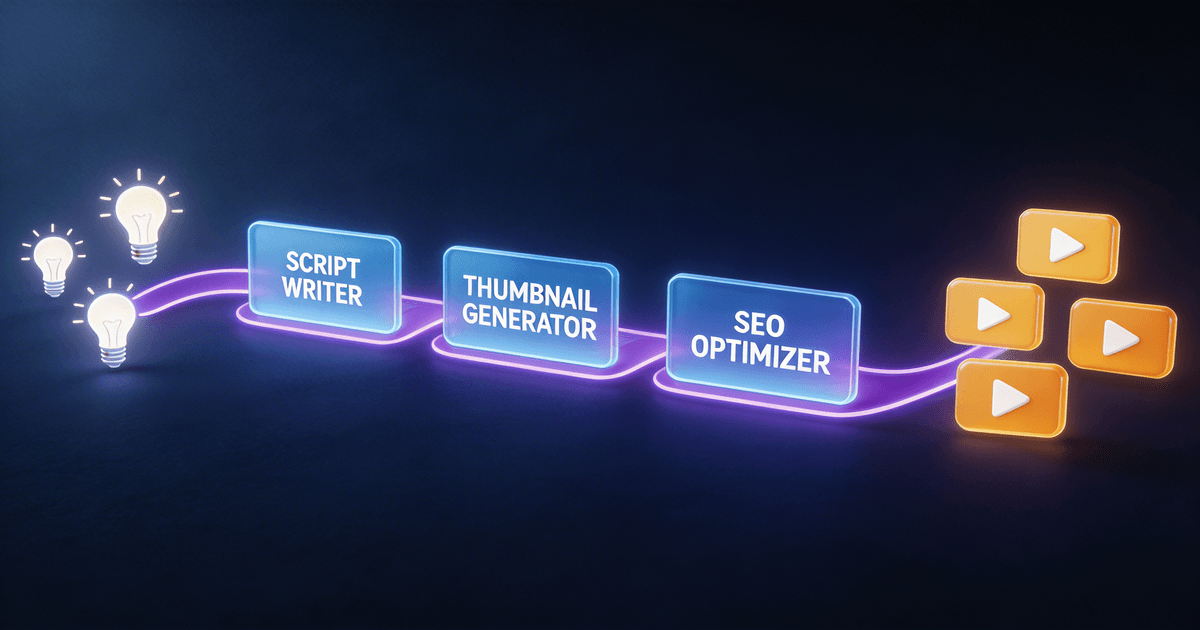
AI Content Creation Workflow: Save 10+ Hours Per Week
The creators saving the most time with AI aren't using more tools — they're using fewer tools in a deliberate system. This is the workflow that works.
Most creators approach AI the same way: open Claude or ChatGPT, type a prompt, get output, spend 20 minutes editing it into something usable. Repeat for every task. Wonder why it doesn't feel that efficient. (If you're still stuck at the prompt level, our best AI prompts for content creators list has the ones that actually save time.)
The 10-hours-per-week number isn't a fantasy — but it requires a different approach. Not more AI tools. A deliberate workflow where each tool handles a defined part of the process, and you're only making decisions that require your judgment.
Here's how that workflow actually looks.
The content creation bottleneck map
Before you can save time with AI, you need to know where you're actually spending it. For most content creators, it breaks into five categories:
- Ideation — coming up with angles, hooks, topics (2-4 hrs/week)
- Scripting / drafting — writing the actual content (4-6 hrs/week)
- Post-production copy — titles, descriptions, tags, thumbnails (1-2 hrs/week)
- Distribution — repurposing content across platforms (2-3 hrs/week)
- Analytics interpretation — figuring out what the data means (1-2 hrs/week)
That's 10-17 hours of structural work per week. Creative decisions on top of that. AI can handle most of the structural work if you give it the right instructions.
Phase 1: Ideation (from 3 hours to 20 minutes)
The biggest ideation mistake is asking AI to brainstorm for you. "Give me 20 YouTube video ideas" produces 20 generic ideas that don't fit your audience, your niche, or your specific angle.
The better approach: give AI structured context before asking for ideas.
A solid ideation workflow looks like this:
- Input your niche, your top 5 performing pieces of content, your audience's biggest pain points, and the current news or trends in your space
- Ask for ideas that fill specific gaps: "I haven't covered X topic, and my audience asks about Y constantly — give me 10 angles at the intersection"
- Filter by what you can actually execute well, not by what sounds impressive
The Content Idea Brainstormer skill handles this by gathering context first, then generating ideas in categories (educational, entertaining, contrarian, personal story, trending). It cuts brainstorming time by about 80% because it's running a structured process, not just pattern-matching to "content creator ideas."
Phase 2: Scripting / drafting (from 5 hours to 45 minutes)
This is where the biggest time savings happen — and where creators see the biggest quality gap between good and bad AI use.
Bad scripting workflow: "Write me a YouTube script about [topic]." Edit for 45 minutes because the output sounds like a Wikipedia article.
Good scripting workflow: Your AI skill asks you for your hook concept, your three main points, your target viewer, and your tone before writing anything. It produces a draft in your format — with [HOOK], [SETUP], [BODY], [CTA] markers — and pacing notes so you know where you're running long.
The difference is workflow vs. prompt. The Long-Form Script System starts every session by asking what you need before generating anything. The resulting draft needs editing, but it's editing your own structure and thinking — not rewriting AI content that sounds nothing like you.
If you're a podcaster, the same principle applies. The Podcast Show Notes Creator takes your episode notes or transcript and produces show notes, chapter markers, and a guest bio — structured the same way every episode.
Phase 3: Post-production copy (from 90 minutes to 15 minutes)
Titles, descriptions, thumbnail concepts, hashtags — each takes longer than it should because it's repetitive work requiring creative judgment.
Here's a process that works:
Titles: Generate 10 options, pick the strongest two, run an A/B test. The SEO Title & Description Writer generates title variants specifically optimized for click-through — with character counts and keyword placement built in.
Thumbnails: Brief the AI with your video topic, your hook, and 2-3 thumbnail styles that have worked for your channel. Ask for 5 concept descriptions with copy suggestions. Take 10 minutes to pick and execute the best one. The AI Thumbnail Factory structures this so you're evaluating concepts, not starting from scratch.
Descriptions + tags: These are almost fully automatable once you have a template. If your descriptions follow the same structure every week — hook paragraph, breakdown, links, CTA — a skill can generate them from your title and chapter markers in under 2 minutes.
Phase 4: Distribution (from 2.5 hours to 20 minutes)
This is the most straightforward AI win. If you've already created content — a video, a podcast episode, a long post — repurposing it should take almost no time.
The workflow:
- Paste your transcript or script into your repurposing skill
- It generates platform-specific posts: Twitter thread, LinkedIn post, Instagram caption, TikTok script hook, newsletter paragraph
- You review and edit for platform fit (each platform has its own format norms)
- Schedule or post directly
The Video-to-Everything Repurposer turns a single transcript into a full distribution cycle across 5 platforms. Each output is formatted for that platform's conventions — not the same text copy-pasted across all of them. The Post-to-Thread Converter does the same for long-form text if you're a newsletter writer turning essays into Twitter threads. And if blog posts are part of your distribution strategy, the free AI blog outline generator converts your script or transcript into a structured H2 outline with headers and key sections — so writing the post becomes filling in the framework, not building it from scratch.
Phase 5: Analytics (from 90 minutes to 15 minutes)
Most creators either ignore analytics or spend too long staring at numbers without knowing what to do. Neither is useful.
The practical workflow: export your key metrics (views, watch time, CTR, impressions) once a week and paste them into your analytics skill with a plain-English question: "My CTR dropped this week on my top-performing video — what's most likely causing this and what should I test?"
The Analytics Translator interprets your data in plain language and generates specific hypotheses, not generic advice. "CTR is low" becomes "your thumbnail isn't communicating the hook clearly — test a close-up face + bold text overlay vs. your current concept graphic." That's a real A/B test you can run, not a vague suggestion to "optimize your thumbnails."
The real math
Let's run the actual numbers. If you implement all five phases:
| Phase | Before | After | Weekly savings |
|---|---|---|---|
| Ideation | 3 hrs | 20 min | 2.5 hrs |
| Scripting | 5 hrs | 45 min | 4.25 hrs |
| Post-production copy | 1.5 hrs | 15 min | 1.25 hrs |
| Distribution | 2.5 hrs | 20 min | 2.2 hrs |
| Analytics | 1.5 hrs | 15 min | 1.25 hrs |
| Total | 13.5 hrs | ~2 hrs | ~11.5 hrs |
That's 11+ hours per week. The caveat: you won't hit these numbers the first week. Each skill takes 3-5 uses to really fit your workflow. Expect 60-70% of the max savings in week one, improving as you adapt the skills to your specific format.
Where to start
Don't implement all five phases at once. Pick the one where you waste the most time and fix that first.
For most creators, that's scripting. Start with the Long-Form Script System or Podcast Show Notes Creator depending on your format. Use it for 3-4 pieces of content. Get comfortable with the workflow before adding the next skill.
Not ready to pay for a skill yet? Try a free AI skill first to see how the workflow feels in practice — most of these phase fixes start with a single skill that earns its keep within a week.
The creators saving the most time with AI aren't using the most tools. They're using 3-5 tools they know well, in a predictable order, every time they create. That's the workflow.
Start building yours at CreatorSkills.co.
For a deeper comparison of how AI skills replace individual creator tools, see how AI skills replace 5+ separate creator tools. If you're a YouTuber specifically, the 10x YouTube workflow guide maps the full production pipeline with time estimates for each stage.
About the author
Founder, CreatorSkills
Caleb Leigh is the founder of CreatorSkills and focuses on buyer-first AI workflows for content creators.
Read the founder profile