Content Audit for YouTube: How to Find What's Worth Keeping and What to Cut
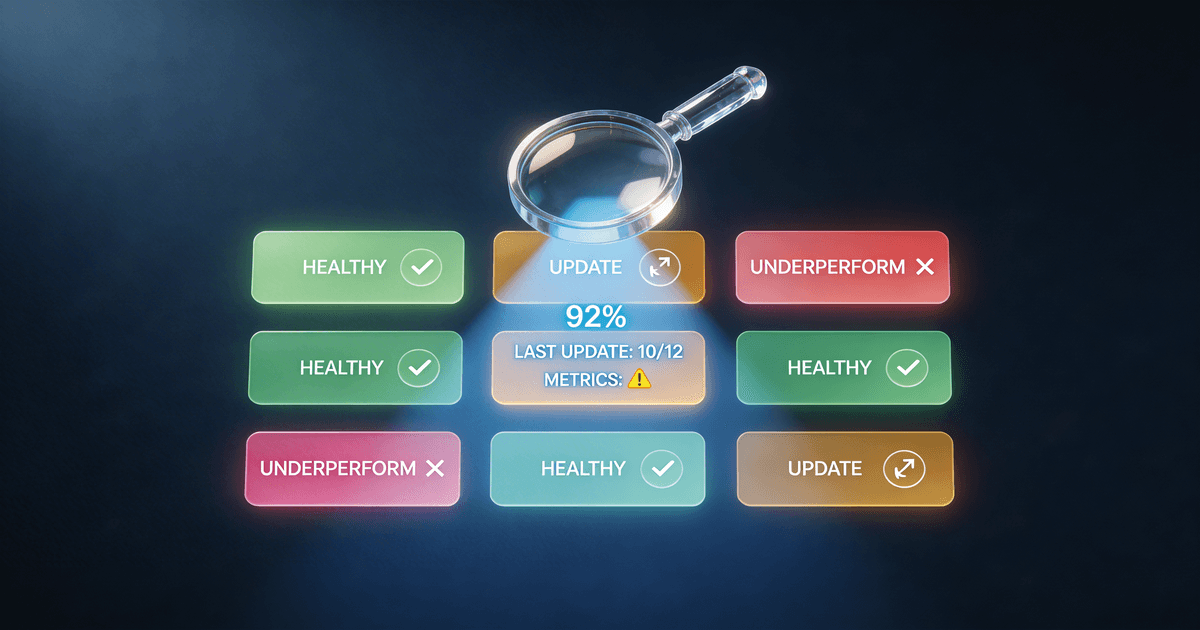
A YouTube channel with 200 videos isn't twice as valuable as one with 100 videos — it might be half as valuable, if the underperforming content is dragging down the channel's topical authority, diluting the algorithm's sense of what the channel is about, and sending visitors to dead-end videos with zero engagement. The Content Audit & Cleanup skill evaluates every piece of content on a 100-point health score across five dimensions (Performance 30%, Relevance 25%, Freshness 20%, SEO Health 15%, Strategic Value 10%), assigns one of five action categories, surfaces content gap opportunities, and produces a prioritized cleanup report with specific recommendations.
Adding content to a YouTube channel without auditing existing content is like adding items to a warehouse without a floor plan. At some point, the new inventory doesn't help — it makes it harder to find what matters.
A channel with 300 videos often has 60–80 videos doing meaningful work, 100 videos that are neutral, and 60–80 that are actively working against the channel — diluting topical authority, sending visitors to outdated advice, signaling inconsistency to the algorithm, and making first-time channel visitors leave rather than subscribe.
The Content Audit & Cleanup skill gives you a framework for knowing the difference.
The Five-Dimension Health Score
Every piece of content gets scored on a 100-point scale across five dimensions. The weights reflect how each factor actually affects channel performance:
Performance (30%) — Views, watch time, audience retention, and engagement relative to your channel average. A video with 2x your average view duration is a high performer even if its raw view count is low. A video with high views but 25% retention is a worse performer than it appears. The skill normalizes these metrics against your channel's own baseline, not against absolute numbers — a 500-view video on a 1K-subscriber channel may be excellent; on a 500K-subscriber channel, it's a signal.
Relevance (25%) — Does the content still reflect what your channel is about? A fitness channel that ran a "day in my life" series three years ago may find those videos irrelevant to the audience they're now building. Relevance isn't just topic match — it's whether the content serves your current audience profile and reinforces your current channel positioning.
Freshness (20%) — Time-sensitive content has a decay rate. "Best [tool] in [year]" videos, news reactions, and trend-based content have a finite shelf life. The freshness dimension flags content where the information has materially changed, the recommendation is now wrong, or the production quality is significantly below your current standard.
SEO Health (15%) — Title, description, and tags assessed against current search intent. A video that ranks for a query that no longer drives traffic, has a title that doesn't match modern search language, or is competing with a stronger piece you've since published on the same topic is a candidate for optimization or consolidation.
Strategic Value (10%) — Does the video serve a function beyond views? Evergreen how-to content that anchors a topic cluster, a flagship piece that drives email signups, a collab video with ongoing referral value — these carry strategic weight that raw performance numbers don't capture. A video that drives disproportionate new subscriber conversions may score low on performance and high on strategic value.
Five Action Categories
Every video in the audit gets assigned to one of five categories. The categories define a complete decision framework — no video ends the audit in a "not sure" state.
Keep — High performers, evergreen content, and strategically valuable pieces that are working as intended. No action required beyond a periodic freshness check.
Refresh — The content is fundamentally sound and still relevant, but benefits from targeted updates: an updated thumbnail, corrected metadata, new information added to the description, a pinned comment with updated recommendations, or a re-edited intro. Refresh is faster than rewrite and often recovers significant performance from videos that have drifted.
Rewrite — The topic is worth covering but the existing execution is poor, outdated, or misaligned with the current channel voice. A rewrite means creating a new video on the same topic rather than updating the old one. The old video may remain (redirect watch history) or be unlisted once the new version is live.
Consolidate — Multiple overlapping videos covering the same territory at different levels of depth or from different angles. A single stronger video typically outperforms three similar ones, both algorithmically and for viewer experience. Consolidation involves identifying the best-performing of the set, updating it with the strongest elements of the others, and unlisting the weaker versions.
Remove — Content with negative net value: factually wrong advice that could harm viewers, videos with sub-1% engagement that will never recover, highly embarrassing early content that is hurting rather than humanizing the channel, or off-topic videos that confuse the algorithm about what the channel covers. Removal (or unlisting) is underused because it feels like admitting failure. The health score framework makes it a clinical decision rather than an emotional one.
The Content Gap Analysis
The audit doesn't only evaluate what's there — it surfaces what's missing.
After scoring the existing catalog, the skill maps the current content against:
Topic coverage — Which topics in your niche are well-covered, which are thin, and which have no coverage at all? For a channel covering personal finance, the audit might reveal 40 videos on investing, 8 on budgeting, and 0 on tax optimization — a significant gap if the audience is asking about taxes.
Funnel coverage — Does the catalog serve the full audience journey? Awareness-stage content (broad, discoverable, entry-point videos), consideration-stage content (deeper dives, comparisons, more specific problem-solving), and decision-stage content (tutorials, case studies, direct CTAs) should each be represented. Many channels are heavy on one stage and missing the others entirely.
Search opportunity — Topics with meaningful search volume that the existing catalog doesn't address, particularly where the channel has established authority in adjacent topics. This intersection (channel authority + uncovered search volume) represents the highest-ROI new content opportunities.
Report Structure
The skill produces two report formats depending on catalog size:
Small catalog (under 50 videos) — Full video-by-video analysis. Every piece of content gets a health score, action category, and specific recommendation. A summary table at the top shows the distribution across action categories and the estimated effort to complete the cleanup.
Large catalog (50+ videos) — A tiered report structure. The top 20 priority items (the highest-value refresh/rewrite/consolidate/remove candidates, ranked by effort-to-impact ratio) are detailed individually. The rest of the catalog is covered in summary: distribution by action category, top-line patterns, and a phased cleanup schedule to prevent the audit from becoming an overwhelming one-time project.
Both formats include a prioritized action queue — not just "here's what needs work" but "here's what to do first and why."
The SEO Refresh Protocol
For "Refresh" category videos, the skill provides a specific optimization sequence rather than vague "update your metadata" guidance:
- Check current ranking position for the target keyword (if any)
- Research current search intent for that query — has the type of result Google/YouTube serves changed?
- Rewrite the title if the current one doesn't match modern search language or is under-optimized
- Update the description's first two lines (the only lines visible before "Show more") to include the primary keyword and a clear value statement
- Add or update chapter timestamps — videos with timestamps perform better in search
- Update the thumbnail if the current one is below the channel's current quality standard
- Add a pinned comment if the content has been partially updated but the video isn't being reshot
This sequence takes 15–30 minutes per video and frequently produces meaningful view recovery from videos that had been in decline.
How to Use It
Provide a description of your channel (niche, audience, approximate size), the goal of the audit (growth, topical authority, cleanup, SEO, or all of the above), and your current content details. For smaller catalogs, you can paste titles and rough performance notes. For larger catalogs, the skill will guide you through a sampling approach if a full video-by-video analysis isn't feasible.
The output is a structured audit report: health scores by dimension, action category assignments, a prioritized cleanup queue, content gap recommendations, and — for Refresh candidates — specific next steps for each video.
Pricing and Where to Get It
The Content Audit & Cleanup skill is $7, one-time. Works in Claude and ChatGPT — describe your channel and catalog, get back a complete prioritized audit report with specific action assignments.
→ Get the Content Audit & Cleanup skill
Pair It With
- YouTube SEO System — The Audit surfaces which videos need SEO work; the SEO System generates the keyword research and metadata optimization needed to execute on those recommendations.
- Notion Content Dashboard Builder — The audit generates a list of action items. The Notion Content Dashboard Builder creates the system that tracks progress as you work through the cleanup queue over weeks or months.
- Analytics Translator — The Content Audit uses performance data as input; the Analytics Translator helps you understand what that performance data is actually telling you about viewer behavior before you make decisions.
More content isn't better content. The channels that grow aren't the ones publishing the most — they're the ones publishing what works and removing what doesn't. An audit makes the difference between those categories visible.
About the author
Content, CreatorSkills
The CreatorSkills team publishes practical guides on AI workflows for content creators.
About CreatorSkills