How to Use AI to Write Better YouTube Descriptions
Your YouTube descriptions are probably an afterthought. Here's how to use AI to write descriptions that actually help your videos rank, with a repeatable workflow you can use on every upload.
Most creators treat YouTube descriptions like a formality. Record the video, upload it, paste a few links below the fold, and move on.
That's leaving views on the table. (For the full YouTube AI workflow that includes descriptions as one step, see how to use AI to 10x your YouTube workflow.)
YouTube descriptions are one of the few places where you can directly influence search ranking, click-through rate, and viewer behavior, all at once. They tell the algorithm what your video is about, give viewers a reason to keep watching, and drive traffic to your other content. And with AI, writing a strong description takes about two minutes instead of fifteen.
Here's the workflow that turns AI YouTube descriptions from an afterthought into a growth lever for every video you publish.
Why YouTube Descriptions Matter More Than You Think
YouTube's search and recommendation system relies heavily on text signals. Your title covers the headline, but your description provides the context: the keywords, the topic depth, the related signals that help YouTube understand where to surface your video.
A well-written description does three jobs:
- Ranks your video in search. YouTube uses description text for keyword matching. Videos with keyword-rich, natural descriptions show up in both YouTube search and Google video results.
- Increases click-through rate. The first 2-3 lines of your description appear in search results. If those lines speak directly to the viewer's problem, more people click.
- Drives action after watching. Links, timestamps, and calls to action in your description convert passive viewers into subscribers, email list signups, or customers.
Most creators optimize their titles and thumbnails obsessively: then write a two-sentence description and wonder why their videos don't rank. The description is the missing piece.
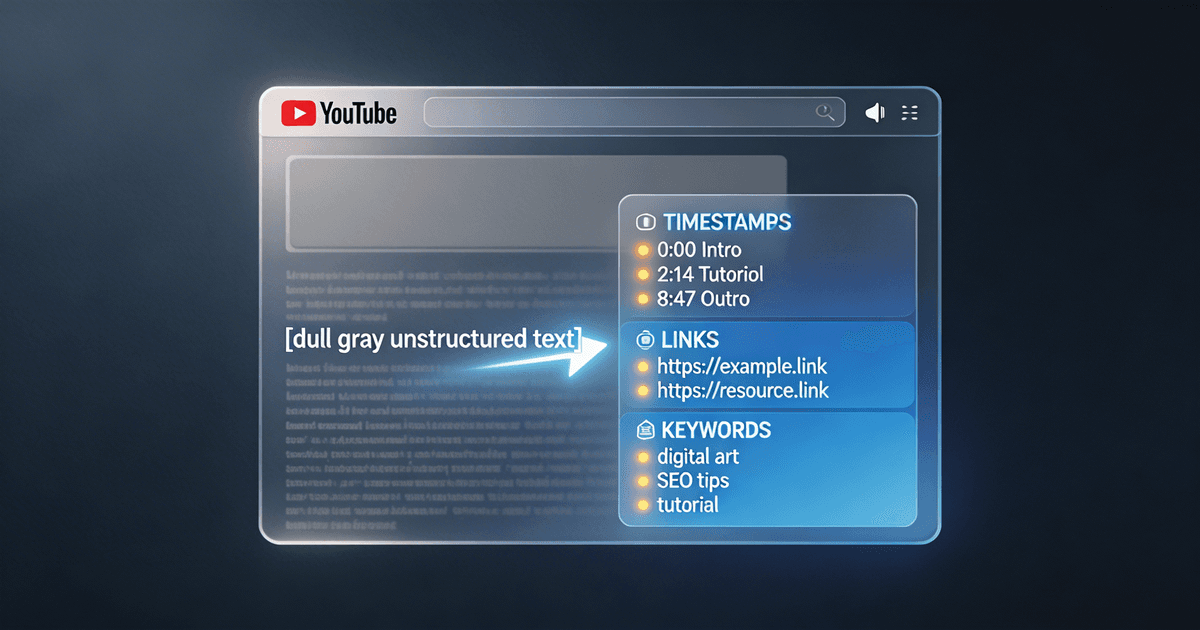
The 5-Part YouTube Description Format
Before we get to the AI workflow, you need to know what a good description looks like. Every high-performing YouTube description follows this structure:
1. The Hook (First 2-3 Lines)
This is the only part viewers see before clicking "Show more." It needs to:
- Restate the value promise from your title (in different words)
- Include your primary keyword naturally
- Give a reason to watch the full video
Example: "Struggling to get your YouTube videos found in search? This video breaks down the exact 5-step process I use to optimize every upload, from titles and tags to the description format that consistently ranks on page one."
2. The Summary (3-5 Sentences)
Expand on what the video covers. Hit your secondary keywords here. Think of this as the "back of the book": enough detail to prove the video is worth 10 minutes of someone's time.
3. Timestamps
YouTube converts timestamps into clickable chapters. They improve watch time (viewers jump to the section they care about instead of bouncing) and they show up as rich results in Google search.
4. Links and Resources
Anything you mentioned in the video: tools, products, related videos, your newsletter signup. Put the most important link first.
5. About Section and CTA
A short paragraph about you or your channel, plus one clear call to action. Subscribe, comment, check out a related video: pick one.
The AI Workflow: From Transcript to Polished Description
Here's the step-by-step process for using AI to write YouTube descriptions that rank. This works with Claude, ChatGPT, or any capable AI tool.
Step 1: Feed It Your Transcript
After recording, grab your transcript (YouTube auto-generates one, or use a tool like Descript). Paste it into your AI tool with this prompt:
"Here's the transcript of my latest YouTube video. Summarize the key topics covered, the main takeaway, and any tools, resources, or links I mentioned. Keep the summary under 200 words."
This gives the AI the raw material it needs: no more guessing at what your video is about.
Step 2: Generate the Description
Now ask it to write the full description using the 5-part format:
"Write a YouTube description for this video using this format: (1) A 2-3 line hook that includes the keyword '[your keyword]' and makes viewers want to watch, (2) A 3-5 sentence summary hitting these secondary keywords: [list them], (3) Timestamps based on the major sections in the transcript, (4) A resources section with placeholder links for anything I mentioned, (5) A short about section and subscribe CTA. Keep the tone conversational: like I'm talking to a fellow creator, not writing a press release."
The specificity matters. Telling the AI your keyword, your tone, and your format prevents the generic output that makes AI-written descriptions obvious.
Step 3: Add Your Voice
Read the output out loud. Does it sound like something you'd actually write? If not, flag the parts that feel off:
"Rewrite the hook to be more direct and less formal. I don't use phrases like 'In this comprehensive video': I'd say something like 'Here's exactly how I do it.'"
This is where most creators stop too early. One round of voice-matching turns a decent description into one that sounds like you wrote it from scratch.
Step 4: Optimize for SEO
Run a final check:
- Primary keyword appears in the first two sentences
- Secondary keywords are woven into the summary naturally (not stuffed)
- Timestamps use descriptive labels, not just "Part 1, Part 2"
- Links use clear anchor context ("Free thumbnail template" not "Click here")
If you want this SEO step handled automatically, the SEO Title & Description Writer skill does keyword placement, search intent matching, and character count optimization in one pass.
Common Description Mistakes (and How AI Helps You Avoid Them)
Writing for robots instead of humans. Keyword-stuffed descriptions read terribly and YouTube's algorithm is smart enough to detect them. AI produces natural language by default: just make sure you don't over-optimize by cramming extra keywords in during editing.
Ignoring the first two lines. Those preview lines are your description's "title." If they're generic ("Hey guys, welcome back to my channel..."), you're wasting your best real estate. Ask the AI to write three different hook options and pick the strongest one.
Skipping timestamps. Chapters improve retention metrics and earn rich snippets in Google. If your video has any kind of structure (and it should), timestamps are free SEO.
Copy-pasting the same description template. Using the same "About me" block and links on every video is fine for the bottom section. But the top half (hook, summary, keywords) should be unique to every video. AI makes this effortless since you're generating fresh copy each time.
Forgetting internal links. Every description is a chance to send viewers to your other content. Link to related videos, playlists, or your best-performing uploads. AI can suggest which links to include based on the topics in your transcript.
Scaling This to Every Upload
Once you've run this workflow three or four times, you'll have a feel for what works. At that point, you can speed it up:
- Save your best descriptions as examples. Tell the AI "Write a description in the same style as this example" and paste one you're happy with. This cuts voice-matching time to zero.
- Build a description template with your standard links, about section, and CTA already filled in. Only the hook, summary, and timestamps change per video.
- Batch your descriptions. If you film multiple videos in a session, generate all the descriptions at once while the content is fresh in your mind.
For creators publishing weekly or more, the Analytics Translator skill can pull your channel data and identify which description patterns correlate with your best-performing videos, so you can double down on what works.
Start With Your Next Upload
You don't need to go back and rewrite every old description (though updating your top 10 videos is worth doing eventually). Just use this workflow on your next upload:
- Grab your transcript
- Feed it to AI with the 5-part format prompt
- Match the voice to yours
- Check the SEO basics
- Publish
Two minutes of description work. Better search ranking. More clicks. More subscribers.
If you want to skip building prompts from scratch, the SEO Title & Description Writer handles the full workflow (keyword research, description format, and SEO optimization) in a single skill. For creators who want to go further (keyword targeting, title formulas, retention analysis, and a monthly analytics protocol) the YouTube SEO System covers the complete search-to-growth pipeline. Browse all Titles & Thumbnails skills to find the right fit for your channel. For thumbnail-specific guidance, see YouTube thumbnail ideas with AI.
About the author
Founder, CreatorSkills
Caleb Leigh is the founder of CreatorSkills and helps creators build AI-powered workflows that save hours every week.
Read the founder profile