Online Course Launch Planner: How to Structure a Launch That Actually Sells
The majority of online course launches underperform because they treat launch as a single event (announcing the course) rather than a structured campaign. The Online Course Launch Planner runs a 12-question readiness audit to catch fatal gaps before the window opens, generates a pricing recommendation from a 5-factor calculator with three tier options, builds a full launch calendar for 7, 14, or 21-day windows, creates a prioritized asset plan (must-ship vs. nice-to-have vs. skip), structures a post-launch debrief with six evaluation sections, and distinguishes between three launch types: Waitlist Launch, Live Cohort Launch, and Evergreen Soft Launch.
Most online course launches fail quietly. Not with a crash — with silence. A few sales in the first 48 hours, then a trickle, then nothing. The creator blames the market, lowers the price, and either moves on or burns months trying to figure out what went wrong.
What usually went wrong: the launch was an announcement, not a campaign. A single email to the list, a few social posts, maybe a webinar. No warming, no pre-launch content establishing the stakes, no urgency mechanics that actually close decisions, no follow-up system for people who expressed interest without converting.
The Online Course Launch Planner builds the structure most course launches are missing — before, during, and after the window.
The Pre-Launch Readiness Audit
Before building a launch calendar, the skill runs a 12-question readiness check. These aren't process questions ("do you have a sales page?") — they're signal questions that reveal whether the conditions for a successful launch are actually in place.
Audience warm-up — Has your audience heard about this problem in the last 30 days, from you? Not about the course — about the problem it solves. A cold audience that hears about your course for the first time on launch day will not buy the way a warm audience that's been primed to think about the problem will. The readiness check flags if the pre-launch content sequence hasn't run.
Proof of demand — Has anyone expressed interest in advance? Pre-launch signups, waitlist members, or social engagement on content covering the course topic are leading indicators. A launch without proof of demand is a hypothesis, not a validated product.
Offer clarity — Can you explain who the course is for, what it teaches, and what someone will be able to do after completing it, in three sentences? If not, the sales page will be unclear and conversion will suffer. The readiness check catches vague value propositions before they become vague sales copy.
Asset completeness — Is the course actually done, or are you counting on building it post-launch? Selling before creation is a legitimate strategy (and the skill supports it), but requires explicit acknowledgment and specific delivery commitments. A launch that implies a finished product while planning to create it post-sale is a trust problem.
Conversion infrastructure — Is the checkout page working? Is the payment processor connected? Has someone test-purchased? The number of course launches that fail because of technical checkout issues is higher than most creators admit. The readiness audit catches this before it costs sales.
If more than three readiness checks fail, the skill recommends a specific pre-launch phase before the window opens — not to delay the launch, but to fix the conditions that would cause it to underperform.
Three Launch Types
The launch structure depends on which of three models fits the product and audience:
Waitlist Launch — Build a waitlist before the course exists (or before it's announced). The launch window opens exclusively to waitlist members first, with a 24–48 hour early access window and a small bonus for list members. Waitlist launches create urgency organically and let you validate demand before building the full course. Best for: first-time launches, new course topics, creators with engaged audiences who respond to exclusivity.
Live Cohort Launch — Sell a specific live cohort (a defined group of students who go through the course together during a specific time period). Live cohorts command higher prices than self-paced equivalents, create accountability that improves completion rates, and generate testimonials quickly. The limited enrollment window creates natural urgency. Best for: courses with a strong community or coaching component, creators who want to teach live, and premium-priced offerings.
Evergreen Soft Launch — Open the course with low promotion to a warm segment of the audience, gather initial feedback and testimonials, then run a formal launch campaign two to four weeks later with social proof. The soft launch de-risks the full launch and generates the proof that makes the larger campaign more credible. Best for: creators nervous about a high-stakes single launch, courses with a feedback-sensitive component, or any situation where testimonials would meaningfully change conversion rates.
The Pricing Calculator
Underprice a course and you attract the wrong buyers, undercut perceived value, and exhaust yourself on support for a margin that doesn't justify the effort. Overprice and you suppress conversion without gaining proportionally higher revenue.
The skill generates a pricing recommendation based on five factors:
-
Outcome specificity — A course with a specific, measurable outcome ("go from 0 to $5K/month freelancing") supports higher pricing than a general skills course ("improve your writing"). The more concrete the transformation, the more confidently you can price.
-
Audience sophistication — Beginners will pay for access to basics they can't find elsewhere. Intermediate and advanced audiences will pay for the curation and acceleration that comes from an expert source. Sophisticated buyers evaluate price as a signal of quality — pricing too low creates doubt.
-
Time-to-result — Courses with faster paths to visible results support premium pricing. A 3-week course that produces a tangible outcome in week one is priced differently than an 8-week comprehensive curriculum.
-
Competitive landscape — What are comparable courses priced at? The skill doesn't recommend matching competition — it recommends positioning intentionally above or below based on what differentiates the offer.
-
Delivery format — Video-only self-paced: lowest tier. Video + workbooks + live Q&A: mid tier. Video + live cohort + community access: premium tier. The pricing should reflect the delivery, not just the content.
The output is three pricing options (Accessible, Standard, Premium) with enrollment target estimates and revenue projections for each. Most creators should start with Standard — it provides the margin to support buyers effectively and the room to move in either direction.
The Launch Calendar
The skill generates a day-by-day launch calendar for three window lengths:
7-Day Launch — For creators with warm, engaged audiences who don't need extended warm-up. High intensity over a short window. Day 1: open cart + announcement email. Days 2–5: daily content addressing objections and amplifying desire. Day 6: testimonials and case studies. Day 7: closing sequence (two emails — midday and 2 hours before close).
14-Day Launch — The most common structure. Week one focuses on teaching content that demonstrates value and builds pre-purchase commitment. Week two opens cart with urgency building across the final three days. Includes a mid-launch check at day 7 to assess pacing and adjust if needed.
21-Day Launch — For larger audiences, higher-priced products, or live cohort enrollments. The additional time allows for a free training, live event, or challenge that delivers value before asking for the sale. More content-intensive, but produces more qualified buyers who convert at higher rates and refund at lower rates.
Every calendar includes: daily email subject lines, social content themes, live event timing (if applicable), and cart close mechanics.
The Asset Plan
Most course launches fail because the creator tries to build everything at once and either burns out or ships incomplete assets. The skill categorizes every launch asset into three tiers:
Must-ship: the assets without which the launch cannot happen. Sales page, checkout, welcome email, core email sequence (5–7 emails), and the course content itself.
Nice-to-have: assets that improve conversion but aren't blockers. FAQ page, testimonial carousel, comparison chart, social proof screenshots.
Skip for now: assets that feel important but don't move the needle on a first launch. Elaborate launch video, affiliate program, paid ads, a second sales page variant. These belong in launch 2 or 3, not launch 1.
The prioritization prevents the common failure mode where a creator spends two weeks building a referral program and ships with a weak email sequence.
Post-Launch Debrief
The debrief template covers six sections:
Revenue vs. target — Actual vs. projected sales, by day and by traffic source. Where did conversions cluster? Did the early-access or last-day urgency mechanics drive the expected proportion of sales?
Email performance — Open rate, click rate, and conversion by email. Which message performed best? Which underperformed? Are there patterns (subject line length, day of week, content type) worth carrying forward?
Checkout drop-off — Of people who visited the sales page, what percentage started checkout? Of those who started, what percentage completed? Each drop-off point is a separate problem with a different fix.
Refund analysis — Who refunded, and when? Refunds within 24 hours of purchase typically indicate a conversion problem (buyer remorse from a misleading pitch). Refunds at day 7 or 14 typically indicate a delivery problem (course didn't match expectations).
Audience feedback — What did buyers say they almost didn't buy because of? What did non-buyers say when asked? This data is more valuable than any metric for improving the next launch.
Next launch planning — What would you change? What worked well enough to repeat? What does the waitlist look like heading into the next window?
How to Use It
Provide your course topic and target audience, where you are in the creation process (idea, outline, filmed, or complete), your existing audience size and engagement level, your rough pricing expectations, and your timeline. The skill runs the readiness audit, recommends a launch type, generates the pricing recommendation, and builds the full launch calendar with asset plan and post-launch debrief structure.
Pricing and Where to Get It
The Online Course Launch Planner is $7, one-time. Works in Claude and ChatGPT — describe your course and situation, get back a complete launch structure with calendar, asset plan, and pricing recommendations.
→ Get the Online Course Launch Planner
Pair It With
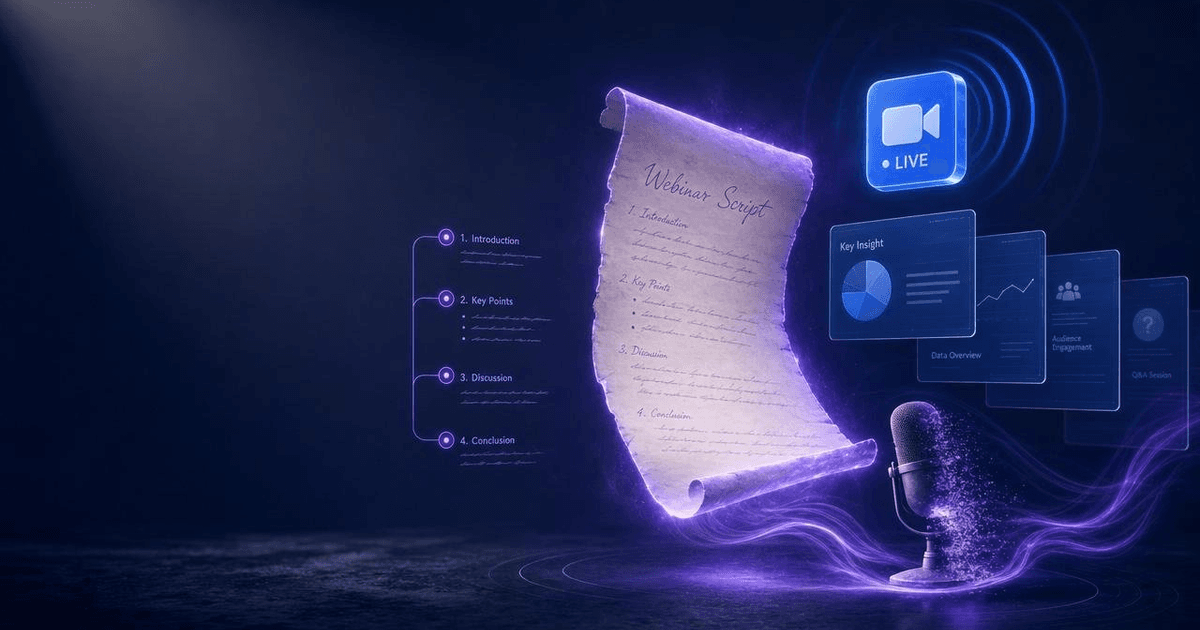
- AI Webinar Script Generator — A live webinar is often the highest-converting single event in a course launch. The Webinar Script Generator builds the 60-minute session structure — opening hook, teaching content, bridge, offer, Q&A — that turns launch event attendance into enrollments.
- Client Proposal System — For course creators who also work with private clients, the Proposal System handles the individual-sale side of the business using the same professional structure.
- Notion Content Dashboard Builder — Launch execution requires tracking a lot of moving pieces simultaneously. The Notion Dashboard builds the project management infrastructure that keeps launch day from becoming chaos.
A course launch is a campaign, not an announcement. The structure matters more than the channel size, the price point, or even the course quality — because a well-structured launch reaches the right buyers at the right moment with the right message. That's what converts.
About the author
Content, CreatorSkills
The CreatorSkills team publishes practical guides on AI workflows for content creators.
About CreatorSkills