AI Webinar Script Generator: Write a 60-Minute Webinar That Converts
Most webinar scripts are just long presentations with a pitch awkwardly appended at the end. The AI Webinar Script Generator produces a complete 60-minute webinar framework divided into six segments (Opening Hook, Authority, Core Teaching, Bridge, Offer, Q&A), with engagement markers to prevent drop-off, an 8-objection response bank tailored to your product, a pre-webinar tech checklist, a warmup conversation sequence, contingency scripts for tech failures, and a 4-email post-event follow-up sequence.
Most webinar scripts are really just presentation slides with narration. They treat the entire hour as a teaching opportunity, then append a pitch at the end and wonder why conversion rates are low.
The structure problem is deeper than it looks. A webinar isn't a training session. It's a live event with a specific arc — awareness of a problem, proof you understand it, evidence that a solution exists, demonstration that you're the person to guide it, and a clear path to take the next step. When that arc is scrambled, even genuinely valuable content fails to move people.
The AI Webinar Script Generator builds a complete 60-minute script around a proven framework, with every segment scripted to its purpose: not just what to say, but why each section exists and what it needs to accomplish before the next one can land.
The Six-Segment Structure
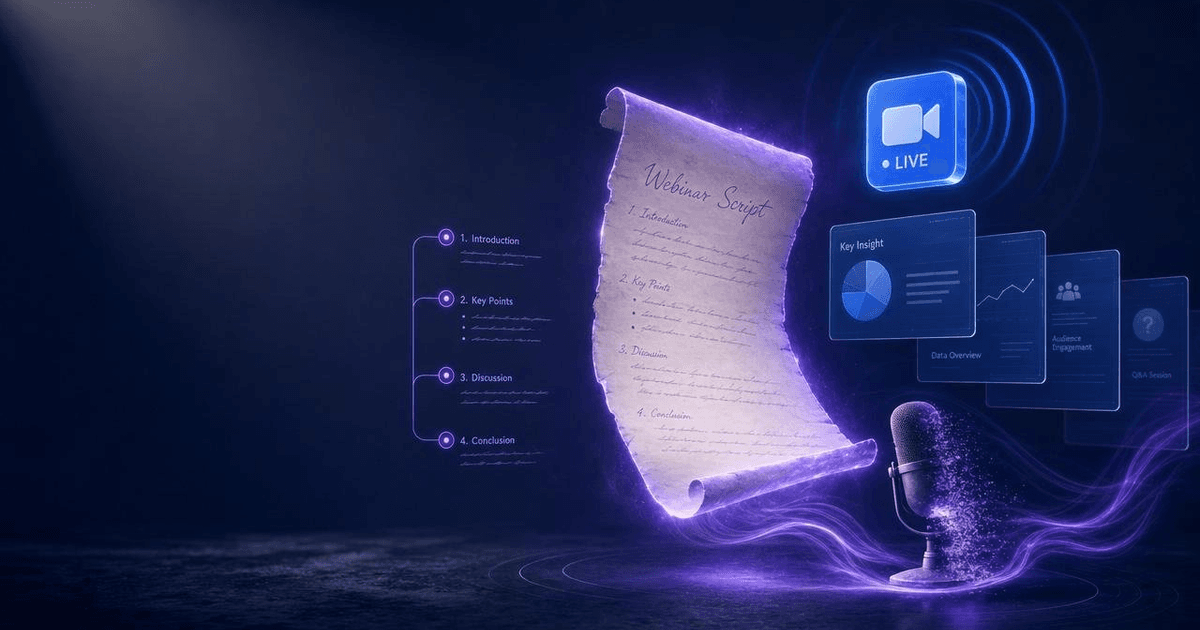
The framework divides 60 minutes into six distinct segments, each with a specific function:
Opening Hook (0–5 minutes) — The first five minutes determine whether the next 55 matter. The hook has one job: make the viewer believe this hour will be worth their time. This means establishing the stakes immediately — not with a self-introduction, not with "let me tell you a little about myself," but with the problem the attendee came to solve. Open with a question, a statistic, or a brief story that names their exact frustration in terms they'd use themselves.
Authority (5–10 minutes) — Once you've hooked the room, you earn the right to present by establishing why your version of the solution is credible. This isn't a resume read-aloud — it's a two-minute story that connects your specific experience to the problem you just named. The frame is: "I used to be where you are, here's what I discovered, and here's why that matters for the next 50 minutes."
Core Teaching (10–40 minutes) — The longest segment, and the one where most webinars overstuff. The goal is not to teach everything — it's to teach enough that the viewer has a genuine shift in understanding, while creating natural curiosity about the parts you haven't covered. Structure this as three teaching blocks with an engagement marker between each. More on those below.
Bridge (40–45 minutes) — The transition from teaching to offer. The bridge's job is to do two things without feeling manipulative: summarize the transformation the attendee has already experienced in the last 30 minutes, and frame the gap between where they are now and the full outcome. "You now understand the three levers. But knowing the levers and knowing exactly how to pull each one for your specific situation are different things — and that's what we built [product] to solve."
Offer (45–55 minutes) — Ten minutes for the offer presentation. The sequence: what it is, who it's for, what's included, what the outcome looks like, pricing and bonus stack, and the close. Urgency mechanisms should be real — a deadline, a limited enrollment count, or a genuine bonus expiry. Manufactured scarcity damages trust with sophisticated audiences.
Q&A (55–60 minutes) — The Q&A segment doubles as the second close. Seed two or three questions in advance that let you address objections while appearing to answer audience questions. End the Q&A by restating the offer once more with the remaining time clearly stated: "We have about two minutes left — the link is still live at [URL]."
Engagement Markers
Webinar drop-off follows a predictable curve: 20–30% of viewers who stay through the hook will leave by minute 20, with another dip around minute 40 as the pitch becomes visible.
The skill places engagement markers at three points in the Core Teaching segment to interrupt this curve:
Live polls — A one-question poll ("How long have you been trying to solve this problem?") activates participation behavior. Attendees who click an answer are dramatically less likely to leave in the next five minutes than attendees who haven't interacted.
Chat prompts — A direct "Type YES in the chat if this sounds familiar" accomplishes the same thing, with the added benefit of social proof. When newcomers scroll the chat and see 40 "YES" responses, they feel confirmed in their decision to stay.
Mini-revelations — A surprising stat or a counterintuitive finding planted at the 20-minute and 35-minute marks creates re-engagement spikes. Something that makes viewers say "wait, really?" — followed by the explanation — functions as a reset of the engagement clock.
The 8-Objection Response Bank
The most common failure point in webinar Q&A: the presenter gets a hard objection and either deflects it ("great question, let me address that offline") or overexplains in a way that signals nervousness.
The skill generates a response bank tailored to your product and offer. The eight objection categories it covers:
"I don't have time" — Address this by reframing the time investment relative to the cost of not solving the problem. "This takes [X hours] over [Y weeks]. The question is whether [outcome] is worth that commitment — and I'd argue the question is really what it's costing you not to have this solved."
"I've tried other programs/tools and they didn't work" — The key is validation before differentiation. Agree that most approaches in this space fail for a specific reason, then show why this one is built around the constraint that caused the others to fail.
"I need to ask my partner/boss" — Acknowledge the wisdom of that, and either offer a spousal/team version of the deck or provide a specific script for the conversation. Trying to override this objection damages trust. Helping them have the conversation builds it.
"The price is too high" — Break it down to cost-per-outcome, not cost-per-week. Compare it to the cost of continuing the current approach. Never apologize for the price.
"Is this right for me / my niche?" — Name the specific profiles of ideal fits vs. people for whom this isn't the right tool. The specificity is itself a trust signal.
"I need to think about it" — "Totally fair — what specifically do you want to think through?" More often than not, "I need to think about it" means "I have an objection I haven't voiced yet." The follow-up question surfaces it.
"I'm not ready yet" — Define what "ready" actually means in concrete terms. Often the readiness criteria are imaginary. When they're real, validate them: "If [specific condition] isn't in place, you're right to wait."
"Can I get a refund?" — State your refund policy clearly and without defensiveness. A confident refund policy is a buying signal for uncertain prospects, not a risk.
Tech Checklist and Warmup Sequence
The 15 minutes before a webinar goes live determine more of the outcome than most presenters think. Late tech problems are audience-visible problems.
The skill generates a pre-webinar checklist specific to your platform (Zoom, StreamYard, Crowdcast, Demio, or generic RTMP) covering:
- Audio test (headset check, echo cancellation, background noise)
- Video check (lighting, camera angle, virtual background if used)
- Screen share test (correct monitor, notifications silenced, browser tabs closed)
- Slide deck loaded and at correct starting slide
- Chat moderation assigned if you have a co-presenter
- Backup dial-in number or phone hotspot if your connection drops
- Registration count confirmed and reminder sequence verified as sent
The warmup sequence covers the five minutes before the official start time — the window when early arrivals are sitting in silence and deciding whether they made the right choice. Rather than playing hold music, the skill provides a script for a "pre-show" conversation: a couple of questions to get attendees typing, a preview of what's coming, and a brief personal story or warm observation that establishes your voice before you've officially started.
Contingency Scripts
The skill includes scripted responses for the four tech failures most likely to disrupt a live webinar:
Audio dropout (yours): "Give me 60 seconds — I'm working on audio, keep the questions coming in the chat." Switch to phone audio. Resume.
Slide share freeze: "Slides aren't cooperating — let me describe what I was about to show you while I fix this." Continue narrating without the visual. Most audiences don't notice the slide content as much as presenters fear.
Attendee can't hear: Direct to the chat overlay or a backup resource link. Don't halt the session for an individual attendee's tech issue.
Connection instability (yours): Pre-record the offer segment as a backup video to share in chat if you drop out during the pitch.
Having these scripted in advance means you deliver them calmly when they're needed, rather than improvising an apology that reads as panic.
Post-Event Follow-Up Sequence
The webinar doesn't end when the session closes. The 72 hours after a webinar are typically responsible for 30–40% of total conversions from that event — but only with a structured follow-up.
The skill generates a 4-email sequence:
Email 1 (same day, within 2 hours): Replay link + summary of the three core teaching points. This captures the 20-30% of registrants who didn't attend live and moves them into the same conversion window as live attendees.
Email 2 (day 1): Objection-focused. Address the most common objection from the live Q&A (or the one your audience is most likely to have) with a direct, non-defensive answer. Include the offer link with remaining time on any deadline.
Email 3 (day 2): Social proof or case study. One result from a real person, specific to the outcome promised in the webinar. "Here's what happened when [name] applied the framework from Tuesday's webinar."
Email 4 (final day, 4–6 hours before close): Deadline reminder, direct and brief. No new content. One link. The only job of this email is to arrive in the inbox at the right moment for the person who's been sitting on the decision.
How to Use It
Provide your webinar topic and core promise, your product or offer details (price, what's included, who it's for), your target audience and their primary frustration, and the platform you're running on. For the objection bank, a brief description of the objections you've heard most often from your audience helps the skill weight the responses toward your specific context.
The output is a complete production-ready script with segment timings, engagement cues, the objection bank, checklist, contingency lines, and the 4-email follow-up sequence — ready to adapt and rehearse.
Pricing and Where to Get It
The AI Webinar Script Generator is $7, one-time. Works in Claude and ChatGPT — describe your webinar topic and offer, get back a complete scripted framework ready to customize.
→ Get the AI Webinar Script Generator
Pair It With
- Online Course Launch Planner — A webinar is often the highest-leverage launch event for a course. The Launch Planner builds the 7, 14, or 21-day runway that leads up to it — content schedule, email sequence, and readiness audit — so the webinar has a warm audience when it runs.
- Client Proposal System — For service-based creators using webinars to generate B2B leads, the Proposal System converts webinar interest into a structured engagement that moves from "interested" to signed.
- Creator Media Kit Generator — For creators co-promoting their webinar with partners or sponsors, the Media Kit gives collaborators what they need to promote the event to their audiences confidently.
A webinar that converts doesn't feel like a sales pitch — it feels like an hour that changed how the attendee sees their problem. That shift is structural, not charismatic. The right framework makes it repeatable.
About the author
Content, CreatorSkills
The CreatorSkills team publishes practical guides on AI workflows for content creators.
About CreatorSkills