How I Automated My YouTube Workflow With AI Systems
The biggest YouTube workflow win came from installing one scripting system and one packaging system, then using them repeatedly instead of rewriting prompts for every video.
I used to spend 6 hours on every YouTube video. Not filming. Not editing. Just the pre-production grind: writing scripts, brainstorming titles, designing thumbnails, researching tags. All the repetitive stuff that killed my creative energy before I even hit record.
Last month, I installed two AI skills and my process actually changed.
The problem (and how I fixed it)
When you're running a solo YouTube channel, you wear every hat. Creator, writer, marketer, thumbnail designer, SEO analyst. Most of those jobs don't require genius. They require consistency. A good system, applied 52 times a year.
I tried ChatGPT, Claude, custom prompts, spreadsheets. Nothing stuck because I was starting from scratch every time. One week I'd ask for titles in a punchy format. Next week I'd phrase it differently and get wildly different results.
The breakthrough was realizing I didn't need better prompts. I needed better systems. That's what AI skills are.
The Long-Form Video Script System
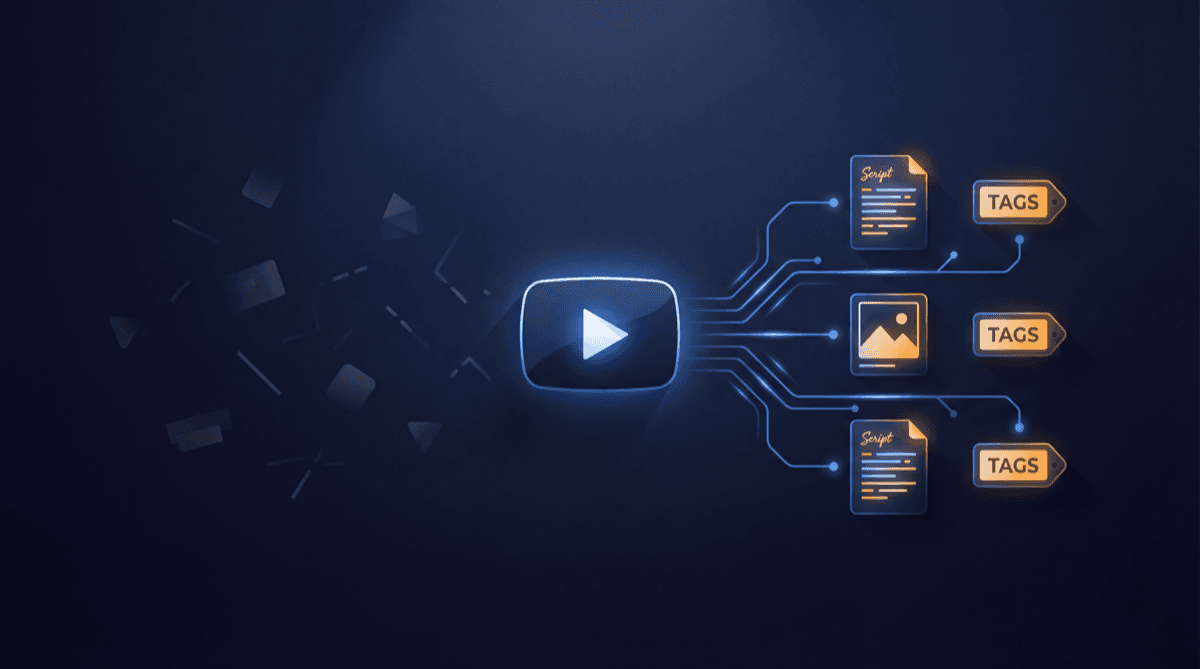
The first skill I installed was the Long-Form Video Script System from CreatorSkills. It's not a prompt that cranks out scripts. It's a full workflow: interview-style structure, dramatic hooks, pacing guides, B-roll cues, call-to-action timing. Everything you need to go from idea to retention-optimized script.
The difference was immediate. I stopped getting rambling 10,000-word drafts and started getting tightly structured scripts with pacing notes. The system knows YouTube retention dies around the 90-second mark, so it structures intros to hook fast. It knows where to plant the CTA without being obnoxious about it.
I used it for 12 videos in a row. My average view duration went from 4:20 to 5:50. That's not theoretical. That's my analytics.
Then came thumbnails
The second skill, the Title & Thumbnail Optimizer, solved a different problem. I was creating thumbnails that looked good but didn't convert. Other creators with similar content were getting 2x my click-through rate.
This skill doesn't make thumbnails. I still do that in Photoshop. It's a system for thinking about thumbnails: your niche, your audience, competitor patterns, psychological principles of attention. It gives you a framework for what goes in the corners, where contrast should live, how much text, what emotion to target.
Sounds theoretical. But I started A/B testing thumbnails based on the framework and my CTR jumped from 4.2% to 6.8% in two weeks.
What actually changed
Before: I'd binge ChatGPT for 45 minutes, generate 30 options, pick one by gut feel.
After: I have a repeatable workflow. Scripts take 90 minutes instead of 3 hours. Titles and thumbnails take 30 minutes instead of 2 hours.
But the real gain isn't time saved (though that's huge). It's consistency. Every video follows the same principles. Every script has the same narrative structure. Every thumbnail follows the same visual logic. That consistency compounds. Viewers know what to expect. The algorithm notices.
Why skills instead of prompts
You can find great prompts online for free. But a prompt is a one-off. A skill is a system with examples, workflows, decision trees, and error-correction built in. When you install a skill into Claude or ChatGPT, you're giving the AI a methodology, not just an instruction.
The Long-Form Video Script System understands pacing, retention psychology, and platform dynamics. The skill creator keeps improving it based on what actually works. That's fundamentally different from copying a prompt out of a Reddit thread.
What I'm actually doing with the time I saved
I'm not saving time to slack off. I'm saving it to do the things only I can do: the creative thinking, the actual filmmaking, the community building.
My videos are more consistent. Comments are more engaged. And I'm less burnt out because I'm not dumping emotional energy into the mechanical parts of the job.
If you're spending more than 2 hours per video on non-creative work, you have a system problem. CreatorSkills has the systems. Go look.
About the author
Founder, CreatorSkills
Caleb Leigh is the founder of CreatorSkills and focuses on buyer-first AI workflows for content creators.
Read the founder profile