Best AI Tools for Email Newsletters in 2026
A practical guide to the AI tools that help newsletter creators write faster, get more opens, grow their list, and automate the repetitive parts of running a newsletter.
You sit down to write your newsletter. You have a topic. You have a deadline. You have 2,000 subscribers waiting for something worth reading.
Three hours later, you're still staring at a half-written draft, second-guessing your subject line, and wondering if anyone will even open this thing.
Sound familiar? Newsletter creators lose more time to the writing and optimization process than almost any other content type. Unlike a YouTube video where you can batch-film, or social posts you can schedule in bulk, each newsletter issue demands fresh thinking, tight writing, and a subject line that earns the click.
AI tools have gotten genuinely useful for this. Not "write my entire newsletter" useful: your subscribers signed up for your voice, and they'll notice if it disappears. But "handle the parts that slow me down so I can focus on the parts only I can do" useful. For a complete step-by-step workflow that puts these tools together, see our AI newsletter writing workflow guide.
Here are the best AI tools for email newsletters in 2026, organized by what they actually help you do.
AI writing assistants for newsletter drafts
The writing itself is where most newsletter creators spend the bulk of their time. AI writing tools won't replace your perspective, but they can get you past the blank page faster.
Claude and ChatGPT remain the two best general-purpose AI assistants for newsletter writing. Both handle long-form content well, both can match your tone if you give them examples of your previous issues, and both are strong at restructuring messy notes into clean prose.
The difference comes down to how you use them. Dumping "write me a newsletter about X" into any AI produces generic content. The creators getting real results are using structured prompts, or better yet, AI skills that encode their specific newsletter format, voice guidelines, and audience context into reusable instructions.
For example, the Newsletter Conversion Engine skill lets you paste a video transcript or blog post and get back a complete newsletter edition formatted to your structure. Instead of starting from scratch, you're editing a draft that already matches your format.
Where AI writing assistants actually help:
- Turning rough notes and bullet points into clean paragraphs
- Repurposing your existing content (videos, podcasts, tweets) into newsletter format
- Writing first drafts of recurring sections (link roundups, news summaries, reader spotlights)
- Suggesting transitions and restructuring when your draft feels disjointed
Where they fall short:
- Original opinions and hot takes (that's your job)
- Knowing what your specific audience cares about this week
- Matching your voice without detailed examples or instructions
Subject line optimization tools
Your subject line determines whether anyone reads your carefully written issue. A 5% difference in open rate across 50 issues per year is thousands of missed reads.
AI is particularly good at subject lines because they're short, pattern-driven, and testable. The best tools generate multiple options based on proven psychological triggers (curiosity, specificity, urgency, personal address) so you can pick the one that fits your issue.
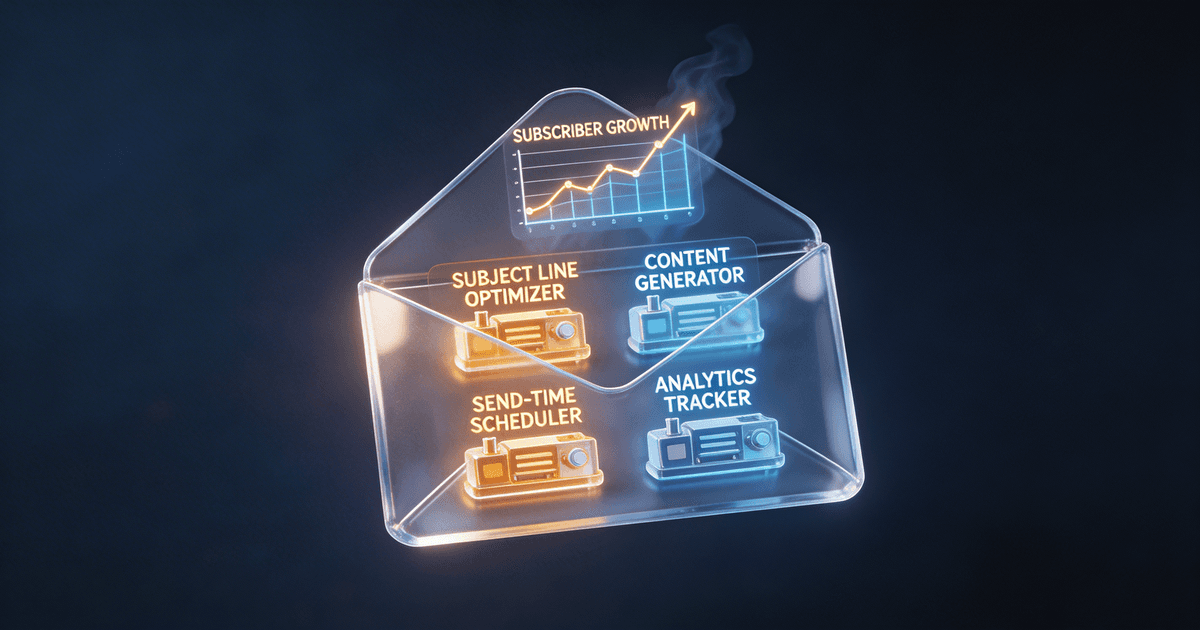
The Email Subject Line Optimizer on CreatorSkills does exactly this. Give it your email topic and it returns five subject lines, each using a different approach (curiosity-based, benefit-driven, question-based, urgency, personal). It's free, and it takes about 30 seconds.
Most newsletter platforms also have built-in AI subject line features now:
- Beehiiv offers AI subject line suggestions directly in the editor
- ConvertKit (Kit) added AI-powered subject line testing in late 2025
- Mailchimp has had AI subject line recommendations for a while, though they tend toward generic
The platform-native tools are convenient but limited. They don't know your audience's specific preferences or your usual tone. A dedicated subject line skill that you've customized with examples of your best-performing subjects will outperform a generic suggestion engine every time.
Newsletter growth and list-building tools
Growing your subscriber list is a different problem than writing good content, and AI tools approach it differently too.
Lead magnet generators are one of the highest-value AI applications for newsletter growth. A good lead magnet (a PDF guide, checklist, template, or mini-course) converts casual readers into subscribers. But creating one from scratch takes hours.
AI can compress that process significantly. Take your best-performing newsletter issues (you know which topics get the most engagement), feed them to Claude or ChatGPT with instructions to create a structured guide, and you have a lead magnet draft in 20 minutes instead of a weekend. For a full strategy on using AI to grow your list, see our AI lead magnets guide for growing your email list.
Landing page copy is another area where AI tools pay off quickly. Your newsletter's signup page needs to answer one question: "Why should I give you my email address?" AI is good at generating benefit-focused copy variations you can test.
Practical growth stack for newsletter creators:
- Use AI to create 2-3 lead magnets from your existing content (one for each major topic you cover)
- Generate landing page copy variations and A/B test them
- Write welcome sequence emails that set expectations and deliver immediate value
- Create social media posts that promote your newsletter with specific hooks from recent issues
The Content Repurposing Planner can help with that last point: it analyzes your content and maps out which pieces work best on which platforms, so your newsletter promotion isn't just "new issue out, link in bio."
Automation and workflow tools
The repetitive parts of running a newsletter (scheduling, segmenting, tracking metrics, managing sponsors) eat up time that should go toward writing. AI-powered automation tools handle the operational side.
Platform-level AI automation:
- Beehiiv has the strongest AI integration of any newsletter platform right now. Smart send-time optimization, AI-generated previews, and automated recommendation widgets that cross-promote between newsletters.
- ConvertKit (Kit) focuses on creator-specific automation: smart tagging based on subscriber behavior, AI-assisted sequences, and visual automation builders.
- Substack is more limited on the AI front. Its strength is simplicity and built-in distribution through recommendations, not automation.
- Ghost appeals to technical creators who want full control. AI integrations come through third-party tools and custom workflows.
Standalone AI workflow tools:
- Zapier and Make both support AI steps in their automation workflows. You can build flows like: "When a new subscriber joins, use AI to personalize their welcome email based on which lead magnet they downloaded."
- Notion AI is useful if you plan your editorial calendar in Notion. It can suggest topics based on your past content, summarize research, and draft outlines, all within your existing workflow.
The best newsletter workflows combine platform automation with AI skills for the creative work. Let your platform handle send-time optimization and segmentation. Use AI skills for the writing, subject lines, and content repurposing that require more nuance.
Analytics and optimization tools
Knowing what's working is half the battle. AI tools are getting better at translating newsletter metrics into actionable advice.
What to look for in AI-powered analytics:
- Open rate analysis that goes beyond averages. Which subject line patterns consistently perform? Which send times work for your specific audience? AI can spot patterns across hundreds of issues that you'd miss scanning a dashboard.
- Click pattern analysis that shows which content types drive engagement. Are your readers clicking tutorials, opinions, or curated links? That data should shape what you write next.
- Churn prediction that flags subscribers likely to disengage before they unsubscribe. Some platforms now offer this natively; others require connecting your data to a tool like a custom GPT or Claude project.
Most newsletter platforms give you the raw data. The AI layer on top is what turns "your open rate was 42% last week" into "your open rate drops 8% when you use question-based subject lines longer than 50 characters on Tuesday sends." That specificity is what makes the data useful.
If you're running your newsletter alongside a YouTube channel, podcast, or blog, the Content Repurposing Planner can also help you identify which newsletter topics are worth expanding into other formats based on engagement patterns.
How to build your AI newsletter toolkit
You don't need every tool on this list. In fact, stacking too many tools creates its own overhead: learning curves, subscription costs, context-switching between interfaces.
Start with these three moves:
-
Pick one AI writing assistant and learn it well. Claude or ChatGPT, paired with a newsletter-specific skill that encodes your format and voice. This handles 60% of the time savings.
-
Optimize your subject lines systematically. Use a dedicated tool like the Email Subject Line Optimizer for every issue. Small open rate improvements compound massively over a year of weekly sends.
-
Automate the operational stuff. Set up your newsletter platform's built-in AI features (send-time optimization, smart segmentation). Then add one or two Zapier/Make automations for the repetitive tasks specific to your workflow.
Once those three are working, you can layer in growth tools (lead magnet creation, landing page copy) and analytics (click pattern analysis, churn prediction) as your newsletter scales.
The tools don't replace the thinking
Every AI tool in this roundup makes you faster at executing. None of them make you better at deciding what to say. Your editorial judgment (which topics matter, which takes are worth sharing, which stories resonate with your specific audience) is still the thing that makes people open your newsletter instead of archiving it.
Use AI to handle the structural work: drafting, optimizing, repurposing, automating. Keep the editorial decisions for yourself. That's the split that actually works for newsletter creators who want to publish consistently without burning out, and if you're thinking about turning your newsletter into income, our newsletter monetization guide for 2026 maps out the revenue strategies that work.
Ready to speed up your newsletter workflow? Browse newsletter and email skills on CreatorSkills, or start with the free Email Subject Line Optimizer to see the difference on your next send.
About the author
Founder, CreatorSkills
Caleb Leigh is the founder of CreatorSkills and helps creators build sustainable revenue from their content.
Read the founder profile