How to Set Up and Use AI Skills for YouTube (Step by Step)
A practical walkthrough for setting up your first AI skill — installation steps for Claude and ChatGPT, common mistakes to avoid, a 30-day confidence-building plan, and troubleshooting tips.
You bought an AI skill (or downloaded a free one). Now you're staring at a .md file wondering what to do with it.
You're not alone. The skill itself takes 2 minutes to install — but nobody tells you the setup steps, the gotchas, or how to get output that actually sounds like you.
This guide is your hands-on walkthrough: installation, first use, voice customization, and a 30-day plan for building real confidence. It's not about which skill to buy — for that, see the top 10 AI skills for YouTubers. This is about making the skill you already have actually work for you.
Haven't picked your first skill yet? All the installation steps below work the same for free and paid skills. Start with a free one — you get the full workflow, no credit card required, and you'll see whether AI skills fit your process before spending anything.
What is an AI skill, exactly?
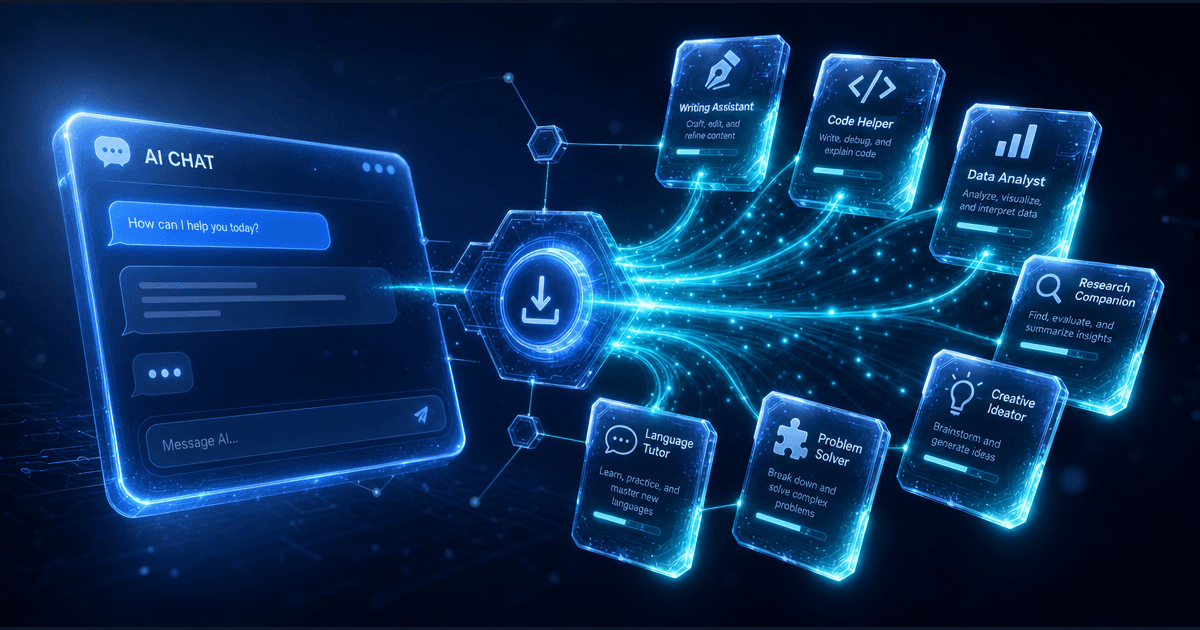
An AI skill is a set of instructions that tells Claude or ChatGPT how to do a specific task for you. Think of it like hiring a specialist — except instead of explaining what you need every time, the instructions are already written.
Without a skill, you type: "Write me a YouTube script." You get generic output.
With a skill installed, the AI already knows your format, your audience, YouTube pacing, retention psychology, and platform requirements. Same prompt, dramatically better output.
Every skill on CreatorSkills comes in three formats:
- SKILL.md — Universal plain-text instructions. Works with any AI that accepts system prompts.
- .mdc — Cursor-specific format for developers using Claude in Cursor.
- ZIP — Multi-file skills with examples, templates, and reference documents.
You only need one format. Pick the one that matches your platform.
How to install a skill in Claude
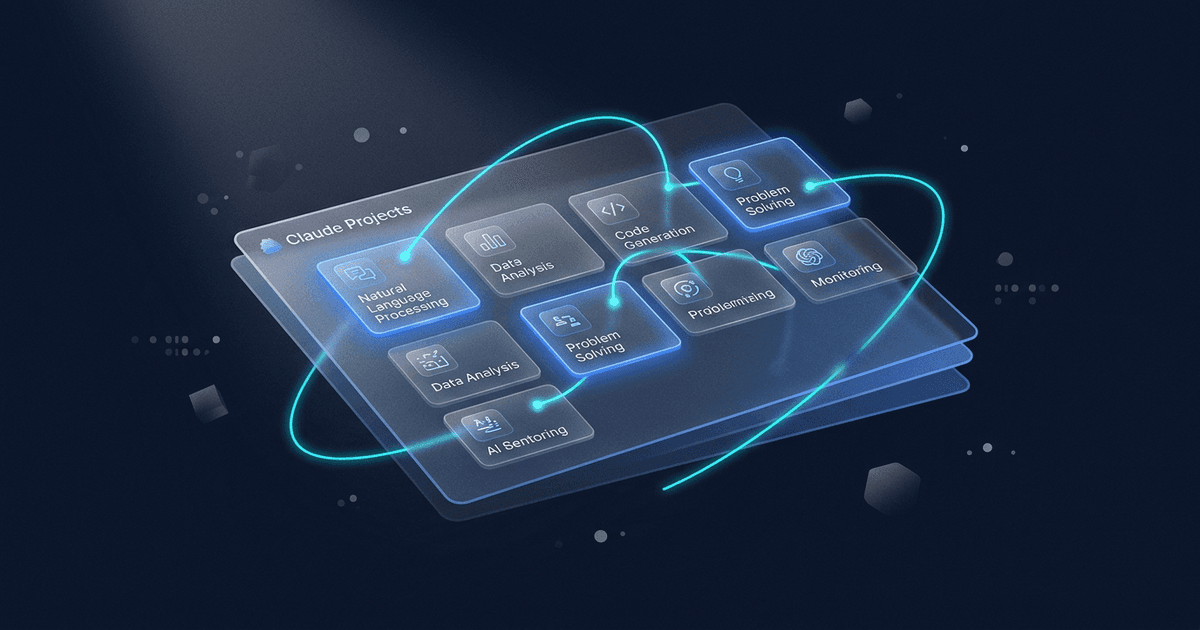
Step 1: Create a Claude project. Open claude.ai, click "Projects" in the sidebar, then "New Project." Name it something like "YouTube Scripts" or "Thumbnail Ideas."
Step 2: Add the skill file.
Download the .mdc file from CreatorSkills. In your Claude project, click "Project knowledge" → "Upload files" and add the .mdc file.
Step 3: Start a conversation. Open a new chat inside that project. The skill is now active — Claude will follow the skill's instructions automatically for every conversation in this project.
That's it. No code, no terminal commands, no API keys. The skill stays active for every new conversation you start in that project.
Pro tip: Create separate Claude projects for different skills. A "Scripting" project, a "Thumbnails" project, a "Repurposing" project. This keeps each skill focused and prevents instruction conflicts. Popular starting points: Viral Hook Generator for hooks, Long-Form Script System for scripts, or AI Thumbnail Factory for thumbnails.
How to install a skill in ChatGPT
Step 1: Create a custom GPT. Go to chat.openai.com, click your profile → "My GPTs" → "Create a GPT."
Step 2: Paste the skill instructions.
Open the SKILL.md file in any text editor. Copy everything. In the GPT Builder, paste it into the "Instructions" field under the "Configure" tab.
Step 3: Add knowledge files (if included). Some skills come with reference documents — style guides, template libraries, or example outputs. Upload these under "Knowledge" in the GPT Builder.
Step 4: Save and use. Give your GPT a name (e.g., "YouTube Script Writer") and save it. You can now access it from your GPT sidebar anytime.
Pro tip: If the skill includes example prompts, test each one right after setup. This helps you understand what the skill can do before you start customizing it.
Your first 15 minutes with a new skill
Don't try to produce real content on your first run. Use this sequence instead:
-
Test with a familiar topic. Pick a video you've already made. Ask the skill to produce output for that topic. This lets you judge quality against something you know, not something hypothetical.
-
Compare the output to your actual work. Does the AI version capture your style? Where does it fall short? Where is it surprisingly good?
-
Give it voice context. Most skills respond dramatically better when you add: "My tone is [casual/educational/energetic]. My audience is [beginners/intermediate/experts]. I typically [use humor/stay technical/tell stories]."
-
Run it again with the context. Notice the difference. This is the moment most creators go from "meh" to "oh, this is actually useful."
-
Save your voice instructions. Whatever prompt additions made the output sound like you — save them. Paste them at the start of every new conversation with this skill.
Why most beginners get bad results (and how to fix it)
The #1 mistake: Trying to automate everything at once.
Creators install five skills, run them once, get generic output, and conclude "AI doesn't work for me."
AI skills aren't magic. They're tools — and like any tool, they work best when you learn one at a time.
The pattern that works:
- Pick one repetitive task that eats your time
- Install ONE skill for that task
- Use it for 2-3 weeks to build the habit
- Then add the next skill
This incremental approach works because it lets you learn the skill deeply, customize it to your voice, and see actual time savings before expanding.
The 30-day confidence plan
Here's how to go from "I just installed my first skill" to "I can't imagine working without it."
Week 1-2: Learn one skill deeply
- Use it for your next 3 videos
- Keep a simple log: "Old method time vs. AI method time"
- Note what prompt tweaks improve the output
- Don't judge results until you've used it at least 5 times — the learning curve is real
Week 3-4: Customize and refine
- Add your voice instructions to every prompt
- Start modifying the output less — aim for 80% usable on first generation
- Compare performance metrics (if applicable) to your pre-AI baseline
- Time yourself honestly: is this saving you time now?
Week 5-6: Add a second skill
- Pick a complementary skill (if your first was scripting, try AI Thumbnail Factory; if thumbnails, try Long-Form Script System)
- Apply the same learn-then-customize process
- Start connecting the skills: use output from skill 1 as input for skill 2
By week 6, you'll have two solid skills in your workflow and concrete data on time saved and performance gained.
Red flags: when to skip a skill
Not every AI skill deserves a spot in your workflow. Skip any skill that:
- Promises results without effort ("Go viral overnight!")
- Requires more setup time than it saves (complex installation for a 5-minute task)
- Doesn't fit your content type (scripting skills for educational content won't help vloggers)
- Has no example outputs (you can't judge quality before buying)
The best AI skills feel like hiring a capable assistant — they handle repetitive work so you can focus on what only you can do: your perspective, stories, and creative decisions.
Troubleshooting common problems
"The output sounds robotic"
- Add specific voice instructions: "Write like you're explaining to a friend over coffee"
- Paste examples of your previous writing and say "Match this tone"
- Edit aggressively — AI gives you a starting point, not a finished product
"It takes longer than doing it myself"
- This is normal for the first 3-5 uses. You're learning the skill AND the interface.
- Time yourself again after 10+ uses — the speedup comes from familiarity
- If it's still slower after 15 uses, the skill might not fit your workflow
"I don't know what to put in the prompt"
- Start with: "I'm a [type of creator] who makes [content type] about [topic]. I want [specific outcome]."
- Add constraints: "Keep it under 500 words," "Make it conversational," "Avoid [word/phrase]"
- The more context, the better the output
"The skill isn't showing up in my Claude project"
- Make sure you uploaded the file to "Project knowledge," not as a chat attachment
- Check that you're starting a new conversation inside the project, not a general chat
- Try re-uploading the file — occasionally uploads don't process correctly
"My ChatGPT custom GPT isn't following the instructions"
- Paste the instructions in the "Configure" → "Instructions" field, not the "Create" chat
- Check if your instructions exceed GPT's character limit — some long skills need trimming
- Make sure you saved the GPT after pasting instructions
What comes after setup?
Once you're comfortable with one skill, the next step is building a workflow where multiple skills feed into each other — scripting into thumbnails, analytics into topic selection, videos into repurposed social content. If you want a single skill that ties your whole YouTube growth process together — keyword targeting, title optimization, retention analysis, and monthly analytics reviews — the YouTube SEO System is designed for exactly that.
The Top 10 AI Skills for YouTubers in 2026 covers which skills to add next based on your channel stage, with a day-by-day pipeline walkthrough showing how they all connect.
Your next step
You don't need to overhaul your entire workflow today. You just need to use the skill you have on your next video.
Open your Claude project or custom GPT. Pick a topic you've already covered. Run the skill. Compare the output to what you made manually. Tweak the voice instructions until it sounds like you.
That's it. One skill, one video, one real test. The goal isn't to replace your creativity — it's to remove the friction that keeps you from creating more of what you love.
Need help choosing your first skill? The top 10 AI skills for YouTubers has a "which skill should you install first" table matched to your biggest bottleneck. Or browse all skills to find the one that fits your workflow.
Last updated: April 8, 2026
Related reading:
- Top 10 AI Skills for YouTubers in 2026 — Which skills to buy and how they chain into a full workflow
- How to Set Up Your First AI Skill — Platform-specific installation deep dive
- Best AI Prompts for YouTube Creators in 2026 — Free starter prompts plus pro skill upgrades
About the author
Founder, CreatorSkills
Caleb Leigh is the founder of CreatorSkills and focuses on buyer-first AI workflows for content creators.
Read the founder profile