How Podcasters Use AI Skills to Save 10 Hours a Week
Most weekly podcasters spend 12+ hours on production tasks that aren't recording. Here's a step-by-step look at how five AI skills compress that to under 3 hours per episode — with an honest time breakdown for every stage.
You recorded a great episode on Monday. By Friday, it's still sitting in your audio editor because you haven't written show notes, pulled clips, drafted the newsletter, or posted anything on social.
Sound familiar? You're not lazy — you're buried under the 12+ hours of production work that comes after every recording session.
Here's what that week actually looks like when you replace the manual grind with five AI skills — and why podcasters who make this switch get their weekends back.
The production bottleneck most podcasters ignore
Recording is the fun part. Everything after recording is where podcasters lose time — and eventually lose motivation.
A typical weekly podcast demands:
- Show notes and episode descriptions — 60-90 minutes of writing, formatting, and SEO optimization
- Transcript cleanup — 45-60 minutes fixing auto-generated transcripts into something readable
- Social media promotion — 60-90 minutes writing captions, pulling quotes, creating thread content
- Newsletter or email blast — 30-45 minutes drafting the episode announcement
- SEO and metadata — 20-30 minutes writing titles, descriptions, and tags for podcast directories
That's 3.5 to 5 hours per episode on tasks that don't involve speaking into a microphone. If you publish twice a week, you're looking at 7 to 10 hours of pure production overhead — before you even think about guest outreach, research, or growing your audience.
The fix isn't working harder. It's building a workflow where AI handles the structural work so you focus on the creative decisions.
The 5-skill podcast workflow
Here's the exact workflow podcasters are using with CreatorSkills — broken down by what happens, when, and how much time it actually takes.
Step 1: Show notes in 10 minutes (not 90)
Skill: Podcast Show Notes Creator
Right after recording, drop your transcript (or even rough episode notes) into the Podcast Show Notes Creator. It generates:
- A keyword-optimized episode summary (150-250 words)
- Timestamped chapter markers
- "In This Episode" bullet points pulled from actual content — not generic filler
- Guest bio and resource links
- A call-to-action section
Before AI skills: 60-90 minutes writing, formatting, and second-guessing whether your show notes are good enough for SEO.
After: 10-15 minutes reviewing and tweaking the output. The skill handles structure, SEO formatting, and chapter timestamps. You handle the final voice check.
Time saved per episode: ~50-75 minutes
Step 2: Turn one episode into a week of social content
Skill: Content Repurposing Planner
This is where most podcasters leave the biggest opportunity on the table. You recorded 45 minutes of original insights — that's enough raw material for 10-15 social posts across multiple platforms.
Feed your transcript or episode outline into the Content Repurposing Planner and it maps out:
- Which moments work best on which platforms
- Specific post angles for Twitter/X, LinkedIn, Instagram, and TikTok
- Quote graphics suggestions with the exact text to use
- A posting schedule spread across the week so you're not dumping everything on publish day
Before AI skills: Most podcasters either skip social promotion entirely or spend 60-90 minutes writing 2-3 posts that barely scratch the surface.
After: 15-20 minutes reviewing a full content calendar. You pick your favorites, adjust the voice, and schedule them.
Time saved per episode: ~45-70 minutes
Step 3: Thread content that actually gets engagement
Skill: Post-to-Thread Converter
Podcast episodes are naturally thread-shaped — they build arguments, tell stories, and deliver insights in sequence. The Post-to-Thread Converter takes your best episode segments and restructures them as Twitter/X threads and LinkedIn carousels.
What makes this different from just asking ChatGPT to "turn this into a thread": the skill understands hook psychology, thread pacing, and platform-specific formatting. It writes the kind of threads that get bookmarked, not just liked.
Before AI skills: 30-45 minutes trying to distill a 45-minute conversation into a compelling thread format.
After: 10 minutes selecting which episode segments to convert, plus a quick edit pass.
Time saved per episode: ~20-35 minutes
Step 4: Newsletter that writes itself (almost)
Skill: Newsletter Conversion Engine
Your email list is your most valuable asset as a podcaster — but writing a newsletter for every episode feels like a second job. The Newsletter Conversion Engine takes your episode content and creates:
- A subject line optimized for open rates
- A preview text that complements (not repeats) the subject
- Body copy that teases the episode's best moments without giving everything away
- A clear CTA driving listeners to the episode
The tone matches your existing newsletter voice. You're not starting from scratch — you're editing a strong first draft.
Before AI skills: 30-45 minutes staring at a blank email draft, trying to make your episode sound exciting without being clickbait.
After: 10 minutes editing and personalizing. The heavy lifting — structure, hooks, and CTA placement — is already done.
Time saved per episode: ~20-35 minutes
Step 5: SEO metadata that gets your episodes found
Skill: SEO Title Description Writer
Most podcasters write their episode titles and descriptions in 30 seconds and wonder why they don't show up in search. The SEO Title Description Writer generates:
- Multiple title options optimized for podcast directory search (Apple Podcasts, Spotify, YouTube)
- Episode descriptions with primary and secondary keywords woven in naturally
- Tag suggestions based on your niche and episode content
- Meta descriptions for your podcast website's episode page
Before AI skills: 20-30 minutes if you're being thorough, or 2 minutes if you're rushing (and then wondering why nobody finds your episodes).
After: 5-10 minutes choosing from generated options and making minor tweaks.
Time saved per episode: ~15-20 minutes
The full time breakdown
Here's what the complete workflow looks like side by side:
| Production task | Manual time | With AI skills | Saved |
|---|---|---|---|
| Show notes & episode description | 60-90 min | 10-15 min | 50-75 min |
| Social content creation | 60-90 min | 15-20 min | 45-70 min |
| Thread/carousel content | 30-45 min | 10 min | 20-35 min |
| Newsletter/email announcement | 30-45 min | 10 min | 20-35 min |
| SEO titles, descriptions, tags | 20-30 min | 5-10 min | 15-20 min |
| Total per episode | 3.5-5 hrs | 50-65 min | ~2.5-4 hrs |
For a weekly podcast, that's 10-16 hours saved per month. For a twice-weekly show, double it.
Over a year, we're talking about 120-200 hours — that's 3 to 5 full work weeks you get back.
Why this works better than generic AI prompts
You could open ChatGPT, paste your transcript, and type "write me show notes." You'll get something. It'll be fine. It won't be good.
Here's the difference with purpose-built AI skills:
They know podcast-specific context. The Podcast Show Notes Creator understands Apple Podcasts SEO, chapter marker formatting, and what makes listeners click "play." A generic prompt doesn't.
They produce consistent output. Every episode gets the same professional structure. No more show notes that are 50 words one week and 500 the next.
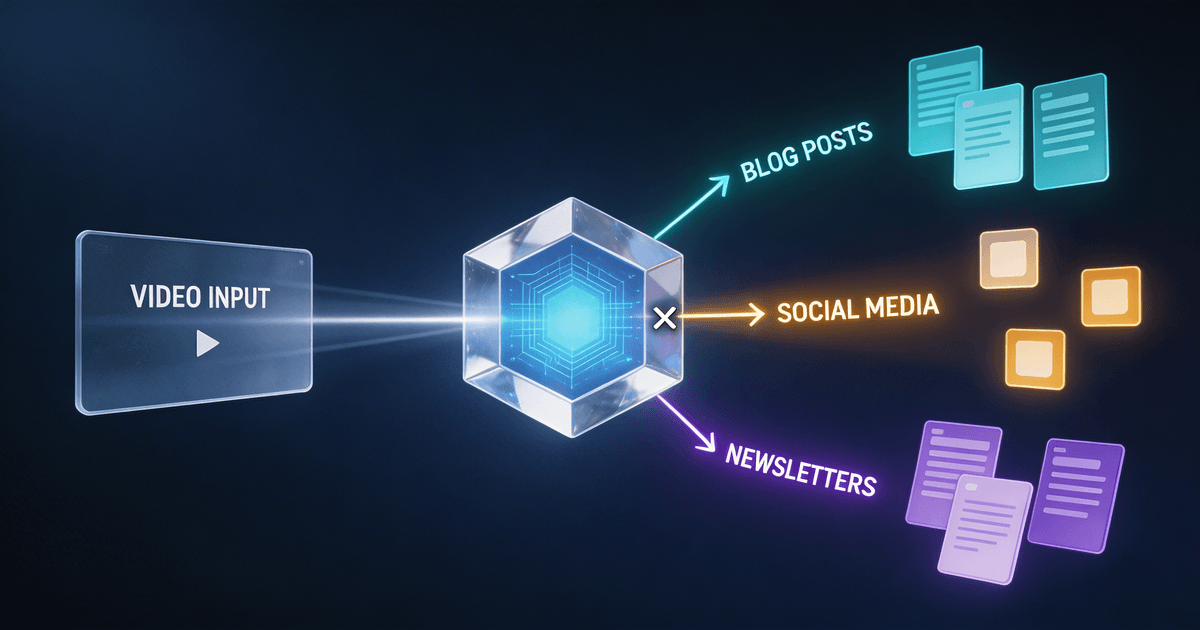
They chain together. The output from Step 1 feeds into Steps 2-5. Your show notes become the foundation for social content, threads, newsletters, and SEO metadata. One recording session generates a full content ecosystem.
They preserve your voice. These skills are designed to match your tone and style — not produce generic AI-sounding copy. You edit and refine, not rewrite from scratch.
Getting started: the 15-minute setup
You don't need to adopt all five skills at once. Start where you feel the most pain:
-
If post-production is your bottleneck: Start with the Podcast Show Notes Creator. It tackles the single longest task in most podcast workflows.
-
If you're invisible on social media: Start with the Content Repurposing Planner. Most podcasters dramatically underuse their episode content on social platforms.
-
If your email list is stale: Start with the Newsletter Conversion Engine. Consistent episode emails keep subscribers engaged and drive listens.
Install your first skill, run it on your next episode, and time yourself. Most podcasters see the difference in a single session.
About the author
Founder, CreatorSkills
Caleb Leigh is the founder of CreatorSkills and helps content creators build faster workflows with AI.
Read the founder profile